Table of contents
Introduction
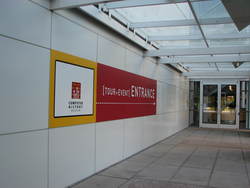 From April 15th
to 17th 2008 took place the fourth edition of the Embedded Linux
Conference organised every year by the CE Linux Forum in the Silicon
Valley. This year, for the first time, the conference was organized
inside the Computer History
Museum, which happened to be a very nice venue for such a
conference. The museum also has various exhibits about computer
history such as Visible
Storage, an exhibit featuring many samples from the museum
collection, ranging from the first computers to the first Google
cluster, going through Cray supercomputers.
From April 15th
to 17th 2008 took place the fourth edition of the Embedded Linux
Conference organised every year by the CE Linux Forum in the Silicon
Valley. This year, for the first time, the conference was organized
inside the Computer History
Museum, which happened to be a very nice venue for such a
conference. The museum also has various exhibits about computer
history such as Visible
Storage, an exhibit featuring many samples from the museum
collection, ranging from the first computers to the first Google
cluster, going through Cray supercomputers.
The conference's
program was very promising: three keynotes from famous speakers
(Henry Kigman, Andrew Morton and Tim Bird) and fifty sessions, either
talks, tutorials of bird-of-a-feather sessions, covering a wide range
of subjects of interest for any embedded Linux developer : power
management, debugging techniques, system size reduction, flash
filesystems, embedded distributions, realtime, graphics and video,
security, etc.
This report has been written by Thomas Petazzoni, from Free Electrons. The report
only covers the talks he could actually attend : there were three
simultaneous tracks at Embedded Linux Conference. Sometimes very
interesting talks were happening at the same time, leading to a kind
of frustration for the audience, willing to be at several places at
the same time. For those people, and for all the persons who could not
attend the conferences, Free Electrons also provides video records for
19 talks given during ELC. The links to the video are given below in
the report. The following report makes an extensive use of the
contents of the slides used by the speakers during their talks.
Day 1
Keynote: Tux in Lights, Henry Kigman
Link to the video
(44 minutes, 139 megabytes) and the slides.
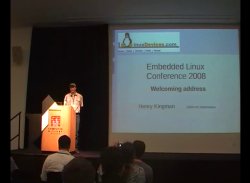 The first day of the conference
was opened by a keynote of Henry Kigman entitled Tux in
Lights. Henry Kigman is famous for being the editor behing the
well-known Linux Devices
website, and he was this year in charge of opening the Embedded Linux
Conference. He started his talk with an introduction about the
importance of such meetings : he emphasized the fact that many
free software developers work together all year long without having
the chance to meet in person. In that respect, conferences such as ELC
are important moment to see each other, he said.
The first day of the conference
was opened by a keynote of Henry Kigman entitled Tux in
Lights. Henry Kigman is famous for being the editor behing the
well-known Linux Devices
website, and he was this year in charge of opening the Embedded Linux
Conference. He started his talk with an introduction about the
importance of such meetings : he emphasized the fact that many
free software developers work together all year long without having
the chance to meet in person. In that respect, conferences such as ELC
are important moment to see each other, he said.
Kigman then continued his presentation with slides containing the
result of the latest Linux Devices survey concerning the use of embedded Linux, that
Jake Edge already reported on Linux Weekly News in his article ELC: Trends in embedded
Linux.
Adventures in Real-Time Performance Tuning, Frank Rowand
Link to the video
(50 minutes, 251 megabytes) and the slides.
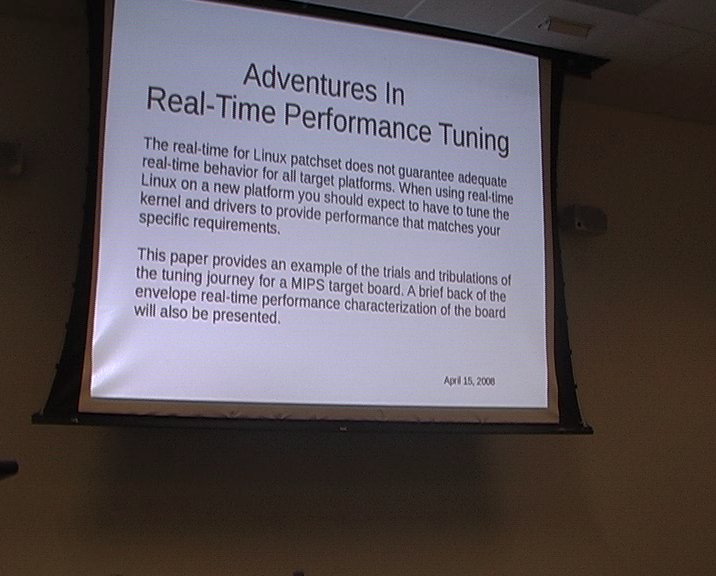
In this talk, Frank Rowand presented what has been involved in
setting up the real time version of the Linux kernel (linux-rt) on a MIPS platform,
using the TX4937 processor. He started by reminding that doesn't mean
fast response time, but determinism, and that deadlines could be
seconds, milliseconds or microseconds, for example.
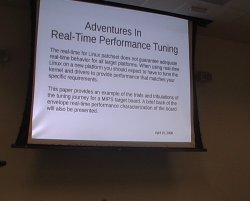 Then, he summed up
what could affect the IRQ latency in the Linux kernel : disabled
interrupts, execution of top halves, softirqs, scheduler execution,
and finally context switch. An important aspect of Linux RT is tuning
this IRQ latency to make it 1) deterministic and 2) low. So, code
disabling interrupts in the kernel should be avoided as much as
possible, and Frank's talk focused on finding and fixing issues about
such pieces of code.
Then, he summed up
what could affect the IRQ latency in the Linux kernel : disabled
interrupts, execution of top halves, softirqs, scheduler execution,
and finally context switch. An important aspect of Linux RT is tuning
this IRQ latency to make it 1) deterministic and 2) low. So, code
disabling interrupts in the kernel should be avoided as much as
possible, and Frank's talk focused on finding and fixing issues about
such pieces of code.
The roadmap of his adventure was basically :
- Add some RT pieces for MIPS and the tx4937 processor
- Add MIPS support to RT instrumention. Instrumentation is an
essential tool to find RT-related issues, he said.
- Tuning.
- Implement "lite" irq disabled instrumentation, because the
existing instrumentation tools overhead was too high in his
opining.
- Tuning.
He then started to talk about the latency tracer, which has been
recently submitted to mainline inclusion by Ingo Molnar. Currently
only available in the -rt, this tracer has recently been
improved in several areas in 2.6.24-rt2 : cleaned up code,
user/kernel interface based on debugfs instead of /proc,
simultaneous trace of IRQ off and preempt off latencies, and
simultaneous histogram and trace. He however used the previous
version, 2.6.24-rt1 for the experiments reported in his talk.
His first experiments with the tracer lead to the discovery of
several issues :
- Latencies up to 5.7 seconds were showing up in
/proc/latency_hist/interrupt_off_latency/CPU0. Using
/proc/latency_trace, he discovered the culprit :
r4k_wait_irqoff(), a MIPS-specific function called when
the CPU is idle. That function was disabling interrupts before going
into idle using the wait MIPS instruction. The quick
fix was to use the nowait
kernel option, to disable the use of CPU idle specific
instructions. Of course, one must be aware of the consequences of
using such an option from a power management perspective. The real
fix would be to stop latency tracing in cpu_idle(), as
is done on x86. Even with that fix, he still had some
large maximum latencies.
- CPUs have timestamps registers that are very accurate,
and 64 bits or 32 bits wide. These registers are incremented at each
cycle, and on MIPS, he used 32 bits counters are used, which means
that hese counters were overflowing after a few seconds. In his
case, it was rolling over in around six seconds (very close to the
maximum 5.7 seconds reported latency !). In fact, it happened that
the latency tracer code didn't handle clock rollover properly. He
fixed that by using the same algorithms used for jiffies in
include/linux/jiffies.h. This fix removed the maximum
reported latencies, and he was now down at 6.7 milliseconds maximum
latency.
- The remaining problems were due to the fact that the timer
comparison and capture code was not handling properly
the switch between raw and non-raw clock sources. So in
kernel/latency_trace.c, he had to check for switch
between raw and non-raw clock sources, and at any switch, delete
timestamps in other mode from the current event.
He then showed some nice and pretty graphs (visible in the video),
showing the improvements made by each fix. Once that the very ugly
latencies were fixed, the things to do next is to fix the thing that
disables preemption for the longest time and the thing that disables
interrupts for the longest time. In his talk, he focused on the
second part : irq disabled time.
 He presented in
more details the main tool used for that debugging : the latency
tracer. He described the contents of a latency trace output, which
might be kernel-hacker-readable, but not necessarly human-readable at
first sight. He highlighted the fact that the function trace that one
can get with the latency tracer is not a list of all functions
executed, but that trace points are only instered at "interesting"
locations in various subsystems. Thus, one has to interpolate what's
happening between the locations provided by the trace, he said. He
also mentionned the usefulness of the data fields available for each
line of trace : they are not documented in any way, are specific
to each trace point, but end up to be very useful in understanding
what's happening. They contain informations such as time for timer
related functions or PID and priority for scheduling related
functions.
He presented in
more details the main tool used for that debugging : the latency
tracer. He described the contents of a latency trace output, which
might be kernel-hacker-readable, but not necessarly human-readable at
first sight. He highlighted the fact that the function trace that one
can get with the latency tracer is not a list of all functions
executed, but that trace points are only instered at "interesting"
locations in various subsystems. Thus, one has to interpolate what's
happening between the locations provided by the trace, he said. He
also mentionned the usefulness of the data fields available for each
line of trace : they are not documented in any way, are specific
to each trace point, but end up to be very useful in understanding
what's happening. They contain informations such as time for timer
related functions or PID and priority for scheduling related
functions.
The first problem he found with latencies of 164 microseconds
occured when handling the timer interrupt, in
hrtimer_interrupt(). Several calls to
try_to_wake_up() where made, causing a long time with
interrupt disabled (between handle_int(), the low level
interrupt handling function in MIPS that disables interrupts, and
schedule(), which re-enables interrupts). In fact, the
timer code was waking up the tasks for which timers have expired,
which is an O(n) algorithm that depends on the number of timers in the
system. He has no fix yet, except the workaround of not using to many
timers at the same time.
The second problem he found is the fact that the interrupt top half
handling followed by preempt_schedule_irq() is a long
path executing with interrupts disabled. A possible workaround is to
remove or rate limit non-realtime related interrupts, which in his
case where caused by the network card, due to having the root
filesystem mounted over NFS. What he tried, as a quick and dirty hack,
was to re-enable and immediatly disable again interrupts in
resume_kernel, the return from interrupt function. It is
a bad hack as it allows nested interrupts to occur, which could cause
the stack to overflow. However, he found that it improved the
latencies, and presented results confirming that.
As a moral, he said do not lose sight of the most important
metric -- meeting the real time application deadline -- while trying
to tune the components that cause latency. He mentionned LatencyTOP as a promising tool,
but also mentionned using the experts' knowledge, thanks to the web
and mailing lists. He mentionned a few recent topics of discussion on
the linux-rt-users, to show the type of discussion
occuring on this mailing list.
To conclude the talk, he showed and discussed real-time results
made by Alexander Bauer (and presented at the 9th Real Time Linux
Workshop) and his own.
In the end, this talk happened to be highly technical, but very
interesting for the one who wanted to discover how the latency tracer
could be used, and the kind of problems one can face when setting up
and using such an instrumentation tool.
Kernel size report and Bloatwatch update, Matt Mackall
Link to the video
(49 minutes, 146 megabytes).
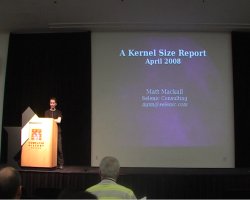 Matt Mackall founded the Linux Tiny project in
2003, is the author of SLOB, a more space-efficient alternative
to SLAB, the kernel's memory allocator, and of other
significant improvements towards reducing the code size of the Linux
kernel. He naturally made an update of the size of the kernel, and
announced a new version of his bloat-tracking tool, Bloatwatch.
Matt Mackall founded the Linux Tiny project in
2003, is the author of SLOB, a more space-efficient alternative
to SLAB, the kernel's memory allocator, and of other
significant improvements towards reducing the code size of the Linux
kernel. He naturally made an update of the size of the kernel, and
announced a new version of his bloat-tracking tool, Bloatwatch.
To start with, Matt Mackall explained why all that attention is
paid on size. He said that it of course matters for the embedded
people, become memory and storage are expensive relative to the price
of an embedded device, and that a smaller kernel means cheaper device,
and hence more room for applications. But Matt also said that the rest
of the world now cares about code size, because even if memory and
storage are cheap, the speed ratio between CPU cache and memory
increases, which means that smaller code allows to fit more code in
cache lines, allowing performance improvements. Matt Mackall is
certainly correct with that statement, but the issue is that the code
size reduction is focused on hot paths, not on the overall code
size.
According to Mackall, the reason for the kernel grow are
many : new features, improved correcness, robustness, generality
and diagnostics. He then gave an absolutely impressive report on the
amount of changes that occured during the last year. In April 2007,
Linux 2.6.21 was the stable version, it had 21.615 files and 8.24
millions lines of code. In April 2008, time of the conference, Linux
2.6.25-rc8 was the latest available version (probably very close to
the final 2.6.25), and it has 23.811 files and 9.21 millions lines of
code. 37.033 changesets were committed to the kernel, from around
2.400 different contributors, contributing to the change of 18.165
files (almost of all files in the kernel have been touched !), to the
addition of 2.24 millions lines and the removal of 1.25 millions
lines. Matt concludes : « a lot has happened ».
He then mentionned a few notable changes in 2007, concerning the
subjects he cares : SLUB, another alternative to SLAB, is now the
default allocator, SLUB and SLOB have seen their efficiency improved,
greater attention is paid to cache footprint issues, increase usage of
automated testing, pagemap and PSS to monitor userspace (work that has
been merged in 2.6.25 and that allows to understand precisely
userspace memory consumption), and the revival of the Linux-Tiny
project, now maintained by Michael Opdenacker.
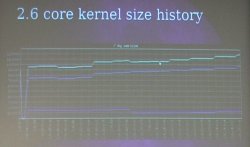 Mackall then entered the
core of the subject : kernel code size. With all the
architectures, drivers and configuration options, it's difficult to
measure the kernel code size increase (or decrease), so Matt proposed
a simple metric : measure the size of an
Mackall then entered the
core of the subject : kernel code size. With all the
architectures, drivers and configuration options, it's difficult to
measure the kernel code size increase (or decrease), so Matt proposed
a simple metric : measure the size of an allnoconfig
configuration for the x86 architecture. The
allnoconfig kernel Makefile target allows to create a
minimalistic configuration, with no network, no filesystems, no
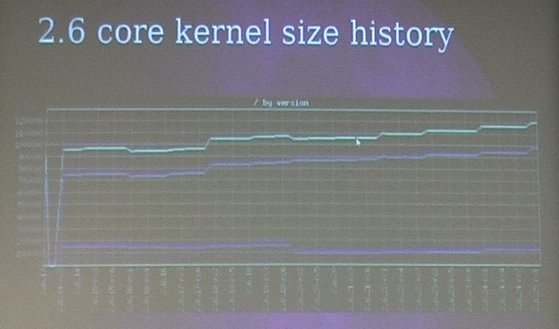
drivers, only the core kernel features. Matt then showed a graph of
the kernel size in that configuration, from 2.6.13 (released two and
half years ago) and now. And he said, « we can see a pretty
steady and obvious increase », which we can obvisouly see on
the graph. Most of the growth is due to code increase, the data part
of the kernel hasn't increased in the last years.
The graph showed an increase of 28% on the kernel size over the
last two and half years. Over the last year, between 2.6.21 and
2.6.25-rc8, the kernel size of the same allnoconfig has
increased from 1.06 megabytes to 1.21 megabytes, a 14% increase. He
said that he made some experiments on more realistic kernel
configurations, and ignoring variations in configuration options over
the kernels, the kernel size increase was pretty much the same so he
thinks the allnoconfig metric is good enough.
He then gave some nice numbers about the size increase : it
currently increases at a rate of 400 bytes per day or 4 bytes per
change (one or two instructions). The average function size is around
140 bytes, so he concludes that we would need to take out of the
kernel three functions every day to keep the core from
growing !
To keep the kernel small, his biggest advise is to review the code
before it goes in. Insist to have new functionnalities under
configuration options, because, as he said : « I don't
need processes namespaces on my phone ». And more generally,
he said that the kernel community currently lacks code reviewers. He
proposed to continue working on inlining and code duplication
elimination : code inlining used to be popular in the kernel
community, but it is not longer useful with modern architectures. The
biggest issue is that a lot of functions are defined in header files,
and are then included in thousands of C files so that they are
instantiated in every object file. And then, Matt thinks that there is
a need to automate the size measurement to find worst offender in
existing code.. which made a perfect transition to the next topic of
his talk : Bloatwatch 2.0.
Two years ago, at the same conference, he presented Bloatwatch
1.0. The new version is rewritten from scratch, with many
improvements :
- easy to customize for your kernel configuration so that
everybody can run Bloatwatch on his specific configuration
- statistics for both built-in and modular code
- delve down into individual object files
- improved filtering of symbols
- greatly cleaned-up code
One can get Bloatwatch from its Mercurial repository,
using
hg clone http://selenic.com/repo/bloatwatch
or grab the tarball, at http://selenic.com/repo/bloatwatch/archive/tip.tar.gz.
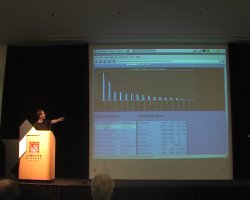 Matt then went
one making a demo of Bloatwatch. On one hand, Bloatwatch is a set of
scripts to compile a kernel according to a configuration, and fill a
database with the results. On the other hand, it is a Web application
that allows to navigate through the results, generate nice and fancy
graphs, compare sizes between kernel versions, for the total kernel,
or for any subsystem, object file or even function.
Matt then went
one making a demo of Bloatwatch. On one hand, Bloatwatch is a set of
scripts to compile a kernel according to a configuration, and fill a
database with the results. On the other hand, it is a Web application
that allows to navigate through the results, generate nice and fancy
graphs, compare sizes between kernel versions, for the total kernel,
or for any subsystem, object file or even function.
He said that building the whole database for
allnoconfig for several years of stable kernels takes a
few hours on a normal laptop, and doing the same with
defconfig takes about a day. Which means that rebuilding
the database for a given configuration is something anyone can do
pretty easily.
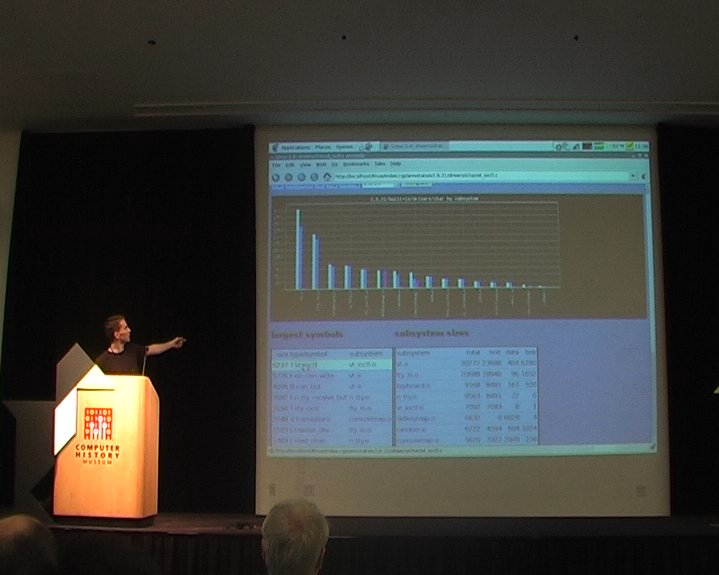
In a few seconds, he demonstrated how to find the specific source
of a bloat. He pointed down the sysctl_check.code file,
that apperead during the last year, and which weights 25 kilobytes of
code. And thanks to the link to the revision control system of the
kernel, he was able to find the description of the original patches in
a few seconds, which gave an insight on the purpose of the change. In
fact, it happened that all that stuff does binary checking on
sysctl arguments, something we probably don't need on
your phone, he said. So it's probably a good candidate for a
configuration option.
Bloatwatch appears to be a great tool for measuring the kernel size
increase, and to analyze the source of that increase. Now, some effort
should probably be set up to communicate these informations to the
kernel developer community in one way or another.
Every Microamp is sacred - A dynamic voltage and current control
interface for the Linux Kernel, Liam Girdwood
Link to the video
(35 minutes, 71 megabytes) and the slides.
 Liam Girdwood works for a company
called Wolfson
Microelectronics and discussed the creation of a kernel API for
voltage and current regulators controls. Before going into the kernel
framework itself, he started by providing an introduction to regulator
based systems, assuming that everyone is not necessarly familiar with
such systems, which indeed was true.
Liam Girdwood works for a company
called Wolfson
Microelectronics and discussed the creation of a kernel API for
voltage and current regulators controls. Before going into the kernel
framework itself, he started by providing an introduction to regulator
based systems, assuming that everyone is not necessarly familiar with
such systems, which indeed was true.
The power consumption in semiconductors has two components :
the static one and the dynamic one. The static one is smaller that the
dynamic one when the device is active, but is the bigger source of
power consumption when the device is inactive. The dynamic one
corresponds to the activity of the device : signals switching,
analog circuits changing state, etc. The power consumption grows
linearly with the frequency, and grows with the square of the
voltage. See this
Wikipédia page on power optimization for more informations. Liam
concluded that general introduction by saying that regulators can be
used to save both static and dynamic power.
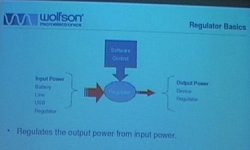 Then, he went on to
present the global picture of a regulator. It is a piece of hardware
that takes an input power (from a battery, line, USB or another
regulator), and that outputs a power (to a device or another
regulator). This piece of hardware is controlled by software, so that
we can control how the output power will be. It is possible to
instruct the regulator to generate a 1.8V output power when the input
source is 5V, or to limit the current to 20mA, for example. The whole
purpose of the regulator framework is to provide a generic software
framework for controlling this kind of devices.
Then, he went on to
present the global picture of a regulator. It is a piece of hardware
that takes an input power (from a battery, line, USB or another
regulator), and that outputs a power (to a device or another
regulator). This piece of hardware is controlled by software, so that
we can control how the output power will be. It is possible to
instruct the regulator to generate a 1.8V output power when the input
source is 5V, or to limit the current to 20mA, for example. The whole
purpose of the regulator framework is to provide a generic software
framework for controlling this kind of devices.
After that, he introduced the abstraction of power
domains. A power domain is a set of devices and regulators that
get their input power from a regulator, a switch or another power
domain, so that power domains can be chained together. Power
constraints can also be applied to power domains to protect the
hardware.
Then, in order to get into more concrete examples, he started
describing the system architecture of one of their Internet
Tablets. It has the usual components : CPU, memory, NOR flash,
audio codec, touchscreen, LCD controller, USB, Wifi and other
peripherals. Then, after showing this block diagram, he presented the
same block diagram, with all the regulators. Each device can be
controlled by one or several power regulators. The whole purpose of
the regulator framework is to control all these regulators, and so he
went on with a discussion of the framework itself.
The general goal of the regulator framework is to « provide
a standard kernel interface to control voltage and current
regulators ». It should allow systems to dynamically control
power regulator powerouput in order to save power, with the ultimate
goal of prolonging battery life, of course. The kernel framework to
control all that is divded in four interfaces :
- consumer interface for device drivers
- regulator driver interface for regulator drivers
- machine interface for board configuration
- sysfs interface for userspace
The consumers are the clients of the regulators, i.e the drivers
controlling a device that get its current from a regulator. The
consumers are constrained by the power domain in which they are :
they cannot request more that the limits that have been set for their
power domain. They defined two types of consumer : the static
ones (that just want to enable or disable the power source), and the
dynamic ones (that want to change voltage or current limit).
The consumer API is very similar to the clock API, he
said. Basically, a device driver starts accessing a regulator
using :
regulator = regulator_get(dev, "Vcc");
where dev is the device and "Vcc" a
string identifying the particular regulator we would like to
control. It returns a reference to a regulator, that should be at some
point released, using :
regulator_put(regulator);
Then, the API to enable or disable is as simple as :
int regulator_enable(regulator);
int regulator_disable(regulator);
int regulator_force_disable(regulator);
regulator_enable() will actually enable the regulator
on, and keep track of a reference count, so that the regulator will
actually be disabled only after the corresponding number of calls to
regulator_disable().
regulator_force_disable(), as its name says, allows to
disable a regulator even if the reference count is non-zero. A status
API is also available in the form of the int
regulator_is_enabled(regulator) function.
Then, the voltage API looks like :
int regulator_set_voltage(regulator, int min_uV, int max_uV);
After checking the constraints, the referenced regulator will
provide power with a voltage inside the boundaries requested by the
consumer, between min_uV (minimal voltage in micro-volts)
and max_uV. The regulator will actually choose the
minimum value that it can provide and that is in the range requested
by the consumer. The voltage actually choosen by the regulator can be
fetched using int regulator_get_voltage(regulator).
The current limit API is similar :
int regulator_set_current_limit(regulator, int min_uA, int max_uA);
int regulator_get_current_limit(regulator);
 The regulators are not 100%
efficient, their efficiency vary depending on load, and they often
provide several modes to increase their efficiency. He gave the
example of a regulator with two modes : normal mode, pretty
inefficient for low current values, but that covers the full range of
current values, and an idle mode, more efficient for low current
values, for that cannot provide more current than a given limit
(smaller than the one in normal mode). So, for example, with a
consumer of 10 mA, the efficiency would be 70% in normal mode,
consuming 13 mA and 90% in idle mode, consuming 11 mA, thus saving 2
mA. So, there is an API to set the optimum mode for a given current
value :
The regulators are not 100%
efficient, their efficiency vary depending on load, and they often
provide several modes to increase their efficiency. He gave the
example of a regulator with two modes : normal mode, pretty
inefficient for low current values, but that covers the full range of
current values, and an idle mode, more efficient for low current
values, for that cannot provide more current than a given limit
(smaller than the one in normal mode). So, for example, with a
consumer of 10 mA, the efficiency would be 70% in normal mode,
consuming 13 mA and 90% in idle mode, consuming 11 mA, thus saving 2
mA. So, there is an API to set the optimum mode for a given current
value :
regulator_set_mode();
regulator_get_mode();
regulator_set_optimum_mode();
Regulators can also notify software of events, such as failure or
over temperature :
regulator_register_notifier();
regulator_unregister_notifier();
This is all the API one can use in device drivers to handle the
relation with regulators.
Then, he switched to the topic of writing a regulator driver. The
API is certainly very similar to other kernel APIs. They must first be
registered to the framework before consumers can use them :
struct regulator_dev *regulator_register(struct regulator_desc *desc,
void *data);
void regulator_unregister(struct regulator_dev *rdev);
The events can propagated to consumers, thanks to the notifier call
chain mechanism. Every consumer that registered a callback using
regulator_register_notifier() will be notified if the
following function is called by a regulator driver :
int regulator_notifier_call_chain(struct regulator_dev *rdev, unsigned
long event, void *data);
The regulator_desc structure must give a few
information about the regulator (name, type, IRQ, etc.), but most
importantly, must contain a pointer to a regulator_ops
structure. It is pretty much a 1:1 mapping of the consumer
interface :
struct regulator_ops {

 /* get/set regulator voltage */
 int (*set_voltage)(struct regulator_cdev *, int uV);
 int (*get_voltage)(struct regulator_cdev *);

 /* get/set regulator current */
 int (*set_current)(struct regulator_cdev *, int uA);
 int (*get_current)(struct regulator_cdev *);

 /* enable/disable regulator */
 int (*enable)(struct regulator_cdev *);
 int (*disable)(struct regulator_cdev *);
 int (*is_enabled)(struct regulator_cdev *);

 /* get/set regulator operating mode (defined in regulator.h) */
 int (*set_mode)(struct regulator_cdev *, unsigned int mode);
 unsigned int (*get_mode)(struct regulator_cdev *);

 /* get most efficient regulator operating mode for load */
 unsigned int (*get_optimum_mode)(struct regulator_cdev *, int input_uV,
 int output_uV, int load_uA);
};
After this short description of the regulator driver interface, he
described the machine driver interface. It is basically used to glue the
regulator drivers with their consumers for a specific machine
configuration. It describes the power domains : « regulator
1 supplies consumers x, y and z », power domain suppliers :
« regulator 1 is supplied by default (Line/Battery/USB) » or
« regulator 1 is supplied by regulator 2 » and power domain
constraints : « regulator 1 output must be between 1.6V and
1.8V ».
To give a concrete example, he said lets take a NAND flash whose
power is supplied by the LDO1 regulator. To attach the regulator to
the "Vcc" supply pin of the NAND, we use the followind call :
regulator_set_device_supply("LDO1", dev, "Vcc");
It will associate the regulator named LDO1 (as given
in the regulator_desc structure) to the Vcc
input of a given device. Then that device driver is able to use the
regulator_get() to get a reference to its regulator and
then control it.
Then, the machine driver can specify constraints on power domains,
using the regulation_constraints that can be associated
to a given regulator using
regulator_set_platform_constraints().
Finally, the machine driver is also responsible for mapping
regulators to regulators, when one regulator are supplied by other
regulators. It is done using the regulator_set_supply()
function, which takes the name of two regulators as arguments, the
supplier regulator, and the consumer regulator. Of course, it is up to
the machine specific code to glue up everything properly.
Then, he described the sysfs interface, which exports
regulator and consumer information to userspace. It is currently
read-only, and Liam doesn't seem at the moment a good reason to switch
it to read-write. One can access information such as voltage, current
limit, state, operating mode and constraints, which could be used to
provide more power usage information to PowerTOP, for example.
After this API description, he gave some real world
examples. First, cpufreq, which allows to scale CPU frequency
to meet processing demands. He says that voltage can also be scaled
with frequency : increased with frequency to increase performance
and stability or decreased with frequency to save power. And that can
be done with the regulator_set_voltage() API. In
cpuidle, you can imagine changing the operating mode of the
regulator that supplies current to the CPU in order to switch a more
efficient mode.
He then gave the example of LCD backlights, which usually consume a
lot of power. When it's possible to reduce brightness, then power
reduction is only possible, and that can be achieved using the
regulator_set_current_limit() API, particularly for
backlights using white LEDs, in which brightness can be changed by
changing the current.
In the audio world as well, improvements can be made. Audio
hardware consumes analog power even when there is no audio
activity : power can be saved by switching off the regulators
supplying the audio hardware. We might also think of switching off the
components that are not used, and he gave the example of the FM-turner
when you're listening to MP3's or the speaker amplifier that can be
turned off when headphones are used. And mentionned the relevant
API : regulator_enable() and
regulator_disable(). Same goes for NAND and NOR flashes
that consume more power during I/O than when they are idle, so it is
possible to switch the operating mode of the regulators to take
advantage of more efficient mode for low current values. He pointed
out the fact that flashes have power consumption information in their
datasheets, and that they could be used in the flash driver to
properly call regulator_set_optimum_mode() to set the
best possible mode for the current power consumption.
The status of this work is that the code is working on several
machines. It supports several hardware : Freescale MC13783,
Wolfson WM8350 and WM8400. They are working with the -mm kernel by
providing patches to Andrew Morton, and they already posted the code on the
Linux Kernel Mailing List. They also have a webpage for
their project, and the code is available in a git
repository.
Using Real-Time Linux, Klaas van Gend
Link to the video
(53 minutes, 263 megabytes) and the slides.
This talk of Klaas van Gend, Senior Solutions Architect at
Montavista Europe, was subtitled Common pitfalls, tips and
tricks. His talk is a presentation of the real-time version of the
Linux kernel, clarifications about various misconceptions on
real-time, and advises.
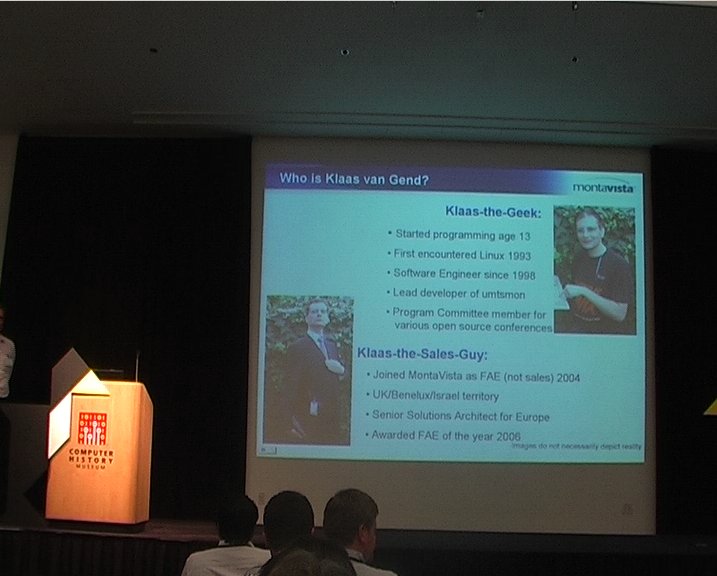
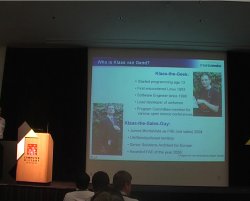 He started by
presenting both faces of Klaas : Klass-the-Geek, who started
programming at 13, first encountered Linux in 1993 and is a software
engineer since 1998, and Klaas-the-Sales-Guy, who joined Montavista as
FAE in 2004 and is in charge of the UK, Benelux and Israel
territory.
He started by
presenting both faces of Klaas : Klass-the-Geek, who started
programming at 13, first encountered Linux in 1993 and is a software
engineer since 1998, and Klaas-the-Sales-Guy, who joined Montavista as
FAE in 2004 and is in charge of the UK, Benelux and Israel
territory.
Originally, Linux is designed to be fair, like the other
Unixes : the CPU has to be shared properly between all processes,
with a fair scheduling. However, in the case of real-time systems, you
don't usually care about fairness. So a lot has to be done to get
real-time capabilities to the Linux kernel, and that work is
happening, and has been happening for a long time in the
-rt version of the Linux kernel, maintained as a separate
patch. His slide also mentionned some progress made on the mainline
kernel : originally, only userspace code was preemptible, then
Robert Love added preemption to the kernel, and Ingo Molnar added
voluntary preemption. The O(1) scheduler, which allows to decide which
task should be run next in a constant time, was also mentionned.
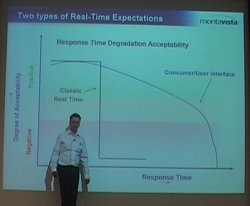 He then went on
with a definition of real-time : « Ok, we have a deadline
and if we don't make the answer within the deadline... Sorry we don't
care anymore ». As an example, he said : « if the
airbag doesn't blow in time or is only half-way blown, too bad :
you're dead ». In contrast, he said, if after a mouse click the
system only reacts after half a second, that's annoying, but it
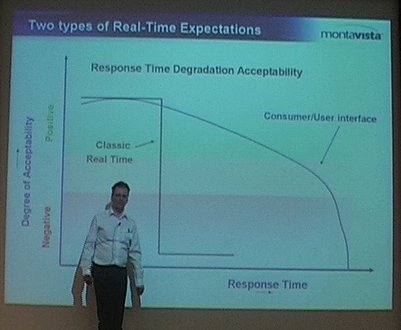
works. And his words were strengthen with a nice slide showing that
the degree of acceptability of the response time only slowly decreases
for consumer/user interface, but flaws down completely for a classic
real time system.
He then went on
with a definition of real-time : « Ok, we have a deadline
and if we don't make the answer within the deadline... Sorry we don't
care anymore ». As an example, he said : « if the
airbag doesn't blow in time or is only half-way blown, too bad :
you're dead ». In contrast, he said, if after a mouse click the
system only reacts after half a second, that's annoying, but it
works. And his words were strengthen with a nice slide showing that
the degree of acceptability of the response time only slowly decreases
for consumer/user interface, but flaws down completely for a classic
real time system.
Main assumption is Real Time Linux : the higest priority task
should go first, « always », he said. Which means that
everything should be pre-emptable and that nothing should keep higher
priority things from executing. He said that lots of things had to be
changed in the kernel to get this assumption, and one of the first
thing was spinlock.
The original Linux UP spinlock basically disables interrupts :
nothing else can interrupt during the critical section, which is not
real-time-friendly at all. And the original SMP spinlock basically
busy wait for another CPU to release the lock, which is not necessarly
performance-friendly. In order to go to real-time, something had to be
done with spinlocks : introduce sleeping spinlocks, so
that instead of busy-waiting, threads waiting for the lock would go to
sleep, and no interrupt would be disabled. Spinlocks are turned into
mutexes.
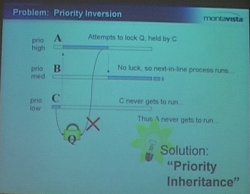 Another
problem is the priority inversion problem, a fairly classical problem
in synchronization and scheduling litterature, which can lead to the
situation where an high priority process cannot run because it is
blocked by a low priority process. We have three processes : A, B
and C. A has the highest priority, B a medium priority and C a low
priority. C holds a lock Q. After some time, task A needs that lock Q,
but it is still held by C, so A cannot run. And because B is runnable
and its priority is higher than the priority of C, then B will run,
and run, and run, and the lock will never be released, or only when B
is done executing its code. The solution to this problem is known as
priority inheritance. In our case, the priority
inheritance mechanism would increase the priority of C to the
priority of A when A needs the lock held by C, so that C can run
instead of B, release the lock, and allow A to get it. Work on
priority inheritance has been done inside the
Another
problem is the priority inversion problem, a fairly classical problem
in synchronization and scheduling litterature, which can lead to the
situation where an high priority process cannot run because it is
blocked by a low priority process. We have three processes : A, B
and C. A has the highest priority, B a medium priority and C a low
priority. C holds a lock Q. After some time, task A needs that lock Q,
but it is still held by C, so A cannot run. And because B is runnable
and its priority is higher than the priority of C, then B will run,
and run, and run, and the lock will never be released, or only when B
is done executing its code. The solution to this problem is known as
priority inheritance. In our case, the priority
inheritance mechanism would increase the priority of C to the
priority of A when A needs the lock held by C, so that C can run
instead of B, release the lock, and allow A to get it. Work on
priority inheritance has been done inside the linux-rt
tree, but has finally been merged
into mainline in 2.6.18.
The next problem discussed by Klaas come from the named
semaphores mechanism. These are semaphores that appear on the
filesystem, so that they can be used by several non-related processes
(processes with no parent-child relationship or living in the same
address space). The problem with named semaphores is that when a
process holding the semaphore dies, the semaphore is not automatically
released and any other process trying to get the semaphore will be
stuck... until a system reboot. The solution to that is called
robust mutexes, which allow to automatically release mutexes
when a process dies. It has been merged in 2.6.17, and covered by Linux Weekly News.
Then, Klaas quickly covered the topic of priority
queues. Traditionnaly, the Linux kernel handled mutex queues in a
FIFO-order: the first waiting process gets the mutex when it is
released by another process. However, on real-time system, you want
the mutex to be assigned to the highest priority waiting process. This
is not fair for the other processes, but as explained by the speaker
at the beginning of his talk, real-time and fairness are not
necessarly compatible. The solution to this problem is called
priority queues : processes are ordered by priority in
waiting lists. This is implemented by the rtmutex code in
the Linux kernel (see kernel/rtmutex.c),
which is used by the Futex facility available in userspace (see
futex(7) for more details), and used by the glibc
to implement mutexes. The rtmutex relies on the
plist library in the kernel (see lib/plist.c).
Klaas van Gend then discussed the issues of the standard IRQ
handling mechanism in Linux. In the regular kernel, IRQ and tasklets
are handled in priority over any task in the system, even the
highest-priority ones. This means that the execution of an high
priority task can be delayed for an unbounded time because of any IRQ
coming from the hardware, even interrupts we don't care about. The
solution to this problem, only available in the linux-rt
tree as of today, is called threaded interrupts. The idea is to
move the interrupt handlers to threads, so that they become entities
known by the scheduler. Once known by the schedulers, these entities
can be scheduled (i.e delayed) and we can assign priority to them. To
illustrate the need for such a feature, Klaas gave the example of a
customer who builds a big printer. On this printer, the high-priority
task is to push informations to the engine, otherwise the user will
get white bands on the paper. And this process should not be disturbed
by any other process, such as getting new printing jobs. He wanted to
highlight the fact that threaded interrupts are actually in use
and are useful.
Klaas then concluded : « essentially, those are the
basic mechanisms in use to make Linux realtime. Does it help ? Yes it
does. ». And he switched to the Results section of his
presentation. He started with measurements of the interrupt
latency, and compared the results of different preemption modes
(none, desktop and RT) on an IXP425 platform using a 2.6.18
kernel. With preempt none, the minimum latency is 4 microseconds,
average is 6 and maximum is 9797 microseconds. With preempt desktop,
the minimum latency is 5, average is 10 and maximum is 2679. With
preempt RT, the minimum is 6, the average 7 and the maximum 349
microseconds. With an higher-end processor (FreeScale 8349 mITX), the
results are better: maximum latency of 3968 microseconds with preempt
none, 1604 with preempt desktop and 53 microseconds with preempt
RT. And he said that with an Intel Core 2 Duo, they managed to lower
the maximum latency to 30 microseconds. For more results, he suggested
requesting the Real Time whitepaper from Montavista.
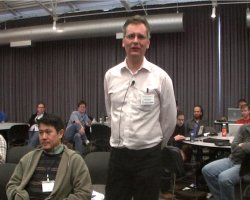 After this short
result section, the speaker switched to the final part of his talk,
entitled Common mistakes and myths. The first myth is that
people are confusing fast and determinism. He cited
quotes such as « I need real time because my system needs to
be fast » or « I want to have the best performance
Linux can do ». But he said «NO !», real time does not mean
highest throughput, it means more predictable. He even said that
efficiency and responsiveness are inversely related. For example, the
real-time preemption code adds some overhead (spinlocks are replaced
by mutuxes but mutexes are much more heavy-weight than spinlocks,
priority inheritance increases task switching and worst case execution
time, etc.). He cited benchmarks that measured a decrease of 20% in
the network through of a -RT kernel when compared to a regular
kernel.
After this short
result section, the speaker switched to the final part of his talk,
entitled Common mistakes and myths. The first myth is that
people are confusing fast and determinism. He cited
quotes such as « I need real time because my system needs to
be fast » or « I want to have the best performance
Linux can do ». But he said «NO !», real time does not mean
highest throughput, it means more predictable. He even said that
efficiency and responsiveness are inversely related. For example, the
real-time preemption code adds some overhead (spinlocks are replaced
by mutuxes but mutexes are much more heavy-weight than spinlocks,
priority inheritance increases task switching and worst case execution
time, etc.). He cited benchmarks that measured a decrease of 20% in
the network through of a -RT kernel when compared to a regular
kernel.
He then went one with a list of mistakes :
- Forgetting to recompile. When switching to
-rt, all
kernel files need to be recompiled because of the complex internal
changes that are involved by the switch to
-rt. However, the userspace ABI doesn't change, so you
don't have to recompile the glibc or the userspace applications. But
if you use third-party modules, you'll have to recompile
them. Another drawback of third-party binary kernel
modules !
- Forgetting to enable robustness and priority-inheritance in
userspace. Userspace mutexes do not automatically have the
robustness and priority-inheritance properties. They must be enabled
by doing
pthread_mutex_t mutex;
pthread_mutexattr_t mutex_attr;

pthread_mutex_attr_init(&mutex_attr);
pthread_mutexattr_setprotocol(&mutex_attr, PTHREAD_PRIO_INHERIT);
pthread_mutexattr_setrobust_np(&mutex_attr, PTHREAD_MUTEX_ROBUST_NP);

pthread_mutex_init(&mutex, &mutex_attr);
- « Running at prio 99 froze my system ». If a
process running a top priority runs forever, then the system will be
freezed. So an infinite-loop process with lock your system, even if
you call
sched_yield(). sched_yield() will
simply yield the CPU to the highest-priority runnable process :
you !.
He then gave some advises on how to design the system. One should
not set the highest priority or even realtime priority to all the
processes in the system, otherwise you are no longer real-time. And
the realtime tasks should be carefully designed to run in a fairly
limited time, so that the rest of the system can still execute. If you
have a collection of realtime processes, their execution time must of
course match with the timing requirements that you have. He suggested
to have only one or two high priority tasks in the system, otherwise
things start to be very complicated to design.
One myth he wanted to fight first is the myth that real time is
hard. He said that it is not as hard as many tend to say and to think
it is. The second myth he wanted to fight is the rumor that real-time
is only pushed by the embedded community. It is also strongly pushed
by the audio community, and can be useful for games as well.
 He went back to a
mistake made by a customer. Even after switching to a real-time
enabled 2.6 kernel, that customer still missed some bytes upon
reception on serial ports on his Geode x86-like board. It turned out
that it was caused by calls to the BIOS used for VGA buffer scrolling
and VGA resolution switching. These calls can disable interrupts for
an unbounded amount of time, not controlled by the Linux kernel. He
also mentionned the problem of
He went back to a
mistake made by a customer. Even after switching to a real-time
enabled 2.6 kernel, that customer still missed some bytes upon
reception on serial ports on his Geode x86-like board. It turned out
that it was caused by calls to the BIOS used for VGA buffer scrolling
and VGA resolution switching. These calls can disable interrupts for
an unbounded amount of time, not controlled by the Linux kernel. He
also mentionned the problem of printk() on serial
port. printk() on a serial line can block waiting for the
transmission buffer of the UART to be empty after transmitting the
bytes to the other end. And this can take an unbounded amount of
time. So he suggested disabling printk() completely when
one has real-time issues.
After this suggestion, he switched to another topic : the
relation between RT and SMP concerns when doing driver development. He
said that both RT and SMP have similar requirements : in RT any
process can be preempted at any time, which is very similar to
multi-processor issues, where the same code can run simultaneously on
different cores. All requirements for SMP-safeness also apply to RT,
and RT and SMP share the same advanced locking, he said. He also
mentionned that the deadlock detection code introduced by the
-rt people already led to the fix of many SMP bugs in
the kernel.
Then he discussed the problem of swapping in the context of a real
time system. What happens if your real time task code or data gets
swapped to disk because of memory pressure in your system ? The
latencies would be horrible. The solution he mentionned to this
problem is the usage of the mlockall() system
call :
mlockall(MCL_CURRENT | MCL_FUTURE);
But it warned that this should already be done on small process,
because all memory pages of the process will be locked into
memory : code, data and libraries.
And to complete his talk he highlighted the fact that the Linux
Real Time kernel comes with no warranty. Even though is has been
thorougly tested over the years by the kernel community and companies
such as Montavista, the Linux kernel has several millions of lines of
code, and nobody can prove that it will work correctly in all
situations. One has to verify that it works well for his particular
use cases.
To conclude, he said that Linux used to be fair, which is not good
for real-time. Montavista has worked on RT behaviour since 1999, but
true real time only appeared in Linux in 2004, with interrupt
latencies below 50 microseconds on certain platforms. However, the
real-time patch is still being merged into mainline kernel, and real
time system design has its challenges... just like programming in
COBOL, he said. He ended with a famous quote of Linus
Torvalds « Controlling a laser with Linux is crazy, but
everyone in this room is crazy in his own way. So if you want Linux to
control an industrial welding laserr, I have no problem with your
using PREEMPT_RT ». And Klaas made the transition to the
questions session with a funny Windows Blue Screen of Death.
During the question session, there have been questions about the
interaction between memory allocation and real time, questions about
predictions on the merge of the remaining -rt features to
the mainline kernel (with some insights by Matt Mackall on that
topic), a question about the interaction between real-time and the I/O
scheduling, another topic on which Matt Mackall gave some interesting
insights.
In the end, that presentation wasn't about anything really new, but
gave a well-presented overview of the features needed in the Linux
kernel to answer the needs of real-time users, and a good summary of
the first pitfalls one could fall in while doing real time
programming.
Power management quality of service and how you could use it in
your embedded application, Mark Gross
Link to the video
(57 minutes, 401 megabytes) and the slides.
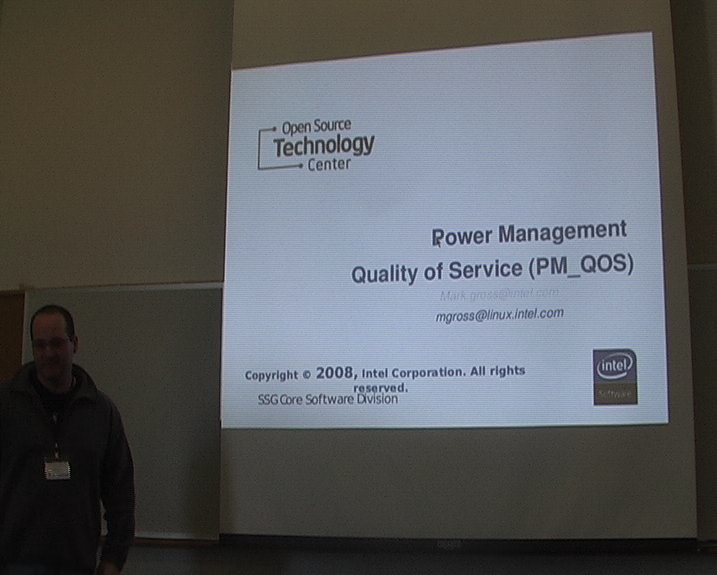
Mark Gross, who works at the Open Source Technology Center of
Intel, gave a talk about power management quality of service
(PM_QOS), a new kernel infrastructure that has been
merged in 2.6.25 (see the commit
and the interface
documentation).
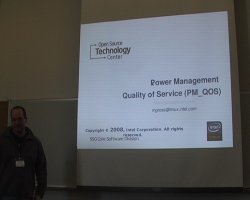 The
starting problem for Mark Gross work in the current architecture of
power management, where the power mangament policy implementation is
extracted away for the drivers (who know the hardware the best) to a
centralized policy manager, creating a dual point of maintenance of
device power/performance knowledge : some in the driver, some in
the policy manager. In his opinion, it « removes all hope of
good abstractions or stable and useful PM API's ».
The
starting problem for Mark Gross work in the current architecture of
power management, where the power mangament policy implementation is
extracted away for the drivers (who know the hardware the best) to a
centralized policy manager, creating a dual point of maintenance of
device power/performance knowledge : some in the driver, some in
the policy manager. In his opinion, it « removes all hope of
good abstractions or stable and useful PM API's ».
That's the reason for which PM QoS was created. The goal is
to provide a coordination mechanism between the hardware providing a
power managed resource and users with performance needs. It's
implemented as a new kernel infrastructure to facilitate the
communication of latency and throughput needs among devices, system
and users. Automatic power management is then then enabled at the
driver with coordinated device throtling given the QoS expectations on
that device.
He then presented areas where PM QoS would be useful in the
kernel. First in the cpu-idle infrastructure, to take
DMA latency requirements into account when switching to deeper
C-states. He also cited issues with the ipw2100 driver or sound
drivers when C-state latencies are large.
PM QoS first implements in pm_qos_params.c a
list of parameters, which are currently just :
cpu_dma_latency, network latency and network
throughput. These are exported both to the kernel and to
userspace. PM QoS maintains a list of pm_qos requests
for each parameter, along with an aggregated performance requirement
and maintains a notification tree, for each parameter. Inside the
kernel, it provides an API to register to notifications of performance
requests and target changes. To userspace, it provides an interface
for requesting QoS.
When an element is added or changed inside the list of
pm_qos of a given parameter, the corresponding aggregate value
is recomputed. If it changed, then all drivers registered for
notification on that parameter are notified.
From the userspace point of view, PM QoS appears as a set of
character device files, one for each PM QoS parameter. When an
application opens one of these files, then a PM QoS request
with a default value is registered. The application can later change
the value by writing to the device file. Closing the device file will
remove the request in the kernel, so that if the application crashes,
the cleanup is done automatically by the kernel. Mark then showed a
simple Python program to use that user interface :
#!/usr/bin/python
import struct, time
DEV_NODE = "/dev/network_latency"
pmqos_dev = open(DEV_NODE, 'w')
latency = 2000
data = struct.pack('=i', latency)
pmqos_dev.write(data)
pmqos_dev.flush()
while(1):
  time.sleep(1.0)
Mark Gross then described the in-kernel API. A driver can poll the
current value for a parameter using :
int pm_qos_requirement(int qos);
but of course, most drivers will probably be more interested in the
parameter notification mechanism. They can subscribe (and unsubscribe)
to a notification chain using :
int pm_qos_add_notifier(int qos, struct notifier_block *notifier);
int pm_qos_remove_notifier(...);
To create new PM QoS parameters, one will have to modify the
pm_qos_init() code in
kernel/pm_qos_params.c.
 After describing the
consumer side of the API, he described the producer
side of the API, that allows to instruct other device drivers to
respect certain latency or throughput requirements (just like the
userspace API presented previouslsy). This API is a set of three
functions :
After describing the
consumer side of the API, he described the producer
side of the API, that allows to instruct other device drivers to
respect certain latency or throughput requirements (just like the
userspace API presented previouslsy). This API is a set of three
functions : pm_qos_add_requirement(int qos, char *name, s32
value) to add a requirement to a parameter list,
pm_qos_update_requirement(int qos, char *name, s32 value)
to update it, and pm_qos_remove_requirement(int qos, char
*name) to remove it.
At the end of the presentation, he gave the example of using PM
QoS within the iwl4965 wireless adapter driver. This is a
work in progress that he is working on with one of the iwl4965
developers. The chipset has six high level power configurations
affecting the powering of the antenna, how quickly it sleeps the radio
and for how long between AP-beacons, so it looks like a good
application of PM QoS network latency parameter, he said.
Currently, the power management of this device is device-specific,
through sysfs. Thanks to PM QoS, the driver could simply
register itself for pm_qos notifications of changes to
network latencies requirements, and switch to the corresponding power
management levels when needed. All other network device drivers could
do the same, so that sane user mode policy managers could be written
without knowing the exact power management details of each and every
network adapter. Mark Gross then described some details of the
implementation of PM QoS inside the iwl4965 driver.
Mark sees a lot of possibilities with such a coherent userspace
interface. Network shooter games could set network latency to zero to
disable power management. A Web browser could set it to two seconds, a
instant-messaging client to 0.5 seconds, an user mode policy manager
could adjust it when the laptop goes to battery power or switches back
to AC power, etc.
In the end, the talk was fairly short, but very interesting and
completely in-topic. Some developer invents a new API to solve a
problem, and tries to make it known, to allow other developers to use
this API in their drivers or applications, and to get feedback from
the community. Something that just happened during the long questions
and answers session that followed the talk (discussion on the current
API, its usage, etc.)
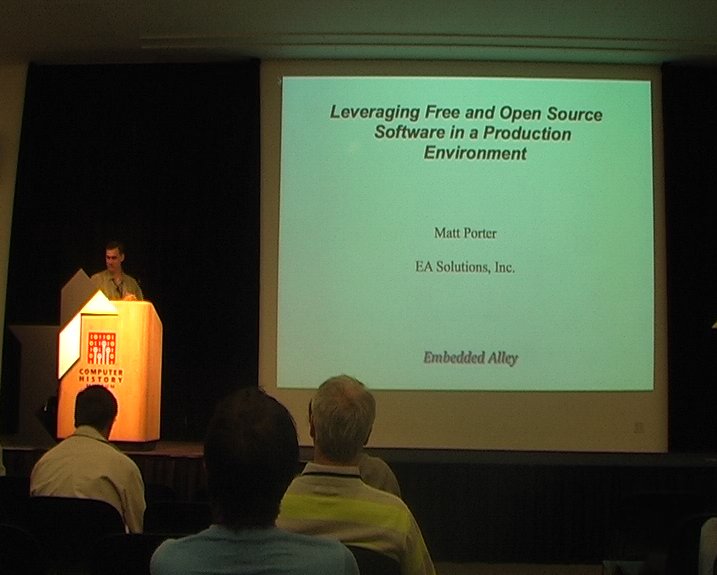
Leveraging Free and Open Source Software in a product development
environment, Matt Porter
Link to the
(45 minutes, 220 megabytes) and the slides.
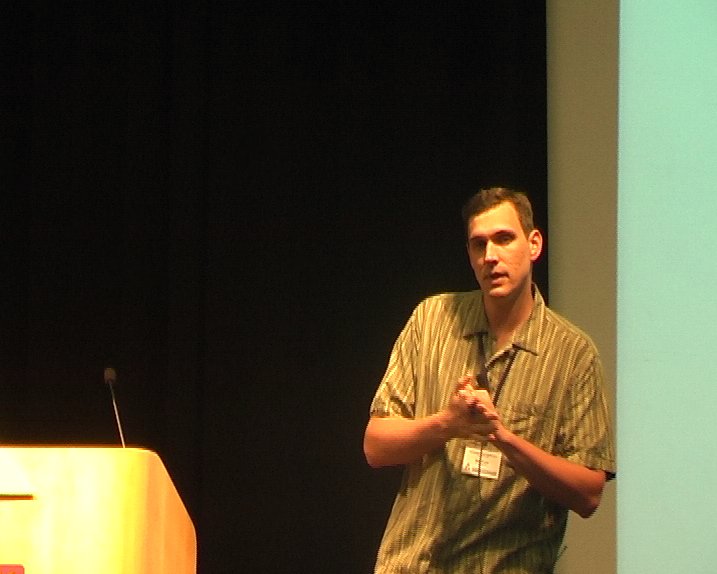
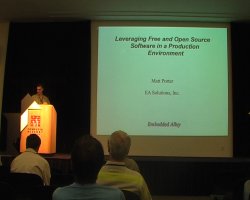 In this talk, Matt Porter, who
works for Embedded Alley, wanted to explain how one can leverage Free
and Open Source Software in the development of a new product. Everyone
knows that GNU toolchains exist, that we have the Linux kernel and
standard basic root filesystems. But then, what else is there,
wondered Matt Porter ?
In this talk, Matt Porter, who
works for Embedded Alley, wanted to explain how one can leverage Free
and Open Source Software in the development of a new product. Everyone
knows that GNU toolchains exist, that we have the Linux kernel and
standard basic root filesystems. But then, what else is there,
wondered Matt Porter ?
In order to make his talk more concrete, he proposed to discuss a
case study, and follow the following steps : define application
requirements, break down requirements by software components, identify
software components fully or partially available as FOSS and finally
integrate and extend the FOSS components with value-added software to
meet application requirements.
His case study was the development of a Digial Photo Frame
(DPF), on of these small devices that allows to display pictures,
play music, are wireless connected and look nice and shiny on the
dinning room table. The requirements for such a device are clear and
concise, he said, making it a good example for his presentation.
His hardware platform is a ARM SoC (with DSP, PCM audio playback,
LCD controller, MMC/SD controller, NAND controller), a 800x600 LCD
screen, a couple of nagivation buttons, MMC/SD slot, NAND flash and
speakers. The user requirements for the DPF device were
- Display to the LCD
- Detect SD card insertion, notify application of SD card
presence, and have the application catalog the photo files present
of the card
- Provide a modern 3D GUI and transitions, navigation via buttons,
configuration for slideshows, transition types, etc.
- Audio playback of MP3, playlist handling, ID3 tag display
- Support JPEG resize and rotation to support arbitrary-sized JPEG
files, dithering support for 16 bits display
Based on these requirements, he established a list of software
components that are needed
- Firmware
- OS Kernel
- I/O drivers
- Base userspace framework/applications
- Media event handler
- Jpeg library (run on ARM or DSP)
- MP3 and supporting audio libraries
- OpenGL ES library for 3D interface
- Main application
He quickly covered the obvious components : U-Boot for the firmware, Linux as the kernel, leveraging the
SD/MMC, framebuffer, input and ALSA subsystems of the kernel as I/O
drivers, use Busybox as the base
userspace framework and use OpenEmbedded as the build
system.
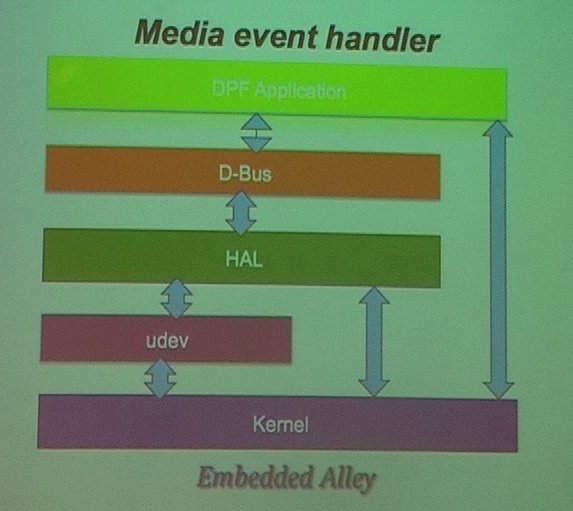
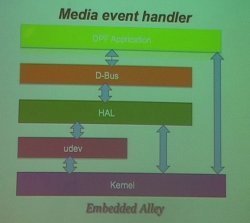 For the media
event handling, he used udev,
which receives events from the kernel when the SD card is inserted or
removed, creates device nodes according to a set of rules, and then
sends the event to the HAL
daemon. HAL, which stands for Hardware Abstraction Layer, is a
daemon to handle hardware interaction : it knows how to handle
the hardware, and can send events over >D-Bus to
notify other applications, such as the main DPF
application. D-Bus was used in their product, it is an IPC
framework used to implement a system-wide bus on which applications
can communicate with each other. In their case, the communication
between HAL and their application takes place over D-Bus : the
application subscribes to HAL events for the SD card and is notified
when something happens.
For the media
event handling, he used udev,
which receives events from the kernel when the SD card is inserted or
removed, creates device nodes according to a set of rules, and then
sends the event to the HAL
daemon. HAL, which stands for Hardware Abstraction Layer, is a
daemon to handle hardware interaction : it knows how to handle
the hardware, and can send events over >D-Bus to
notify other applications, such as the main DPF
application. D-Bus was used in their product, it is an IPC
framework used to implement a system-wide bus on which applications
can communicate with each other. In their case, the communication
between HAL and their application takes place over D-Bus : the
application subscribes to HAL events for the SD card and is notified
when something happens.
The next subject was JPEG picture handling. For JPEG decoding, they
used the libjpeg library, and for
resize and rotation, they used jpegtran. Dithering
was not supported in libjpeg or jpegtran, and instead of writing their
own code, they borrowed some code from the FIM image viewer (FIM
stands for Fbi IMproved, which is a framebuffer based image
viewer).
To support MP3 playing, they used libmad, which runs on
ARM and supports MP3 audio decoding for playback. They also used libid3 to handle the ID3
tags and be able to display them on the screen, and libm3u to handle
media playlists.
Then, he covered a more specific and technical subject : using
DSP acceleration. Using the DSP available in hardware to accelerate
JPEG and MP3 processing looks like an interesting option. First, one
needs a DSP bridge, and he mentionned
openomap.org as a good starting point
for that topic. He also mentionned using libelf to process
ELF DSP binaries, which allows for pre-runtime patching of symbols and
cross calls from DSP to ARM. He said that the general purpose
libraries such as libjpeg, jpegtran, FIM and libmad can be ported to
run portions of their code on a DSP.
 For the 3D graphic
interface, they decided to use Vincent, an OpenGL ES 1.1
compliant implementation. Nokia ported the code to Linux/X11, and it
has been easily modified to run on top of the Linux framebuffer. It
can also be extended in various ways to support hardware accelerated
cursor, floating/fixed point conversions, use GPU acceleration,
etc.
For the 3D graphic
interface, they decided to use Vincent, an OpenGL ES 1.1
compliant implementation. Nokia ported the code to Linux/X11, and it
has been easily modified to run on top of the Linux framebuffer. It
can also be extended in various ways to support hardware accelerated
cursor, floating/fixed point conversions, use GPU acceleration,
etc.
He said that a complete GUI can be implemented in low-level OpenGL
ES. Font rendering can be done using the freetype library, and it
enables 3D desktop look for the interface. It also makes 3D photo
transitions possible : photos are loaded as textures, and
transitions are then managed as polygon animation and camera view
management. He also mentionned the fact that higher-level libraries
such as Clutter can be used
on top of OpenGL ES to provide higher-level interface building
tools.
Finally, he described the main DPF application, which integrates
all the FOSS components : manages media events, uses the JPEG
library to decode and render photos, handles Linux input events and
drivers OpenGL ES based GUI, manages user-selected configuration,
displays photo slideshow using selected transitions.
To conclude, he said that « good research is the key to
maximizing FOSS use ». He however warned that many components
will require extensions and/or optimization, but that smart use of
FOSS where possible will save time, money and speed product to market.
Demonstrations
At the end of the first day, some companies and projects have been
invited to demonstrate some of their work in the hall next to the main
conference room. Your editor found some of these demonstrations
particularly interesting.
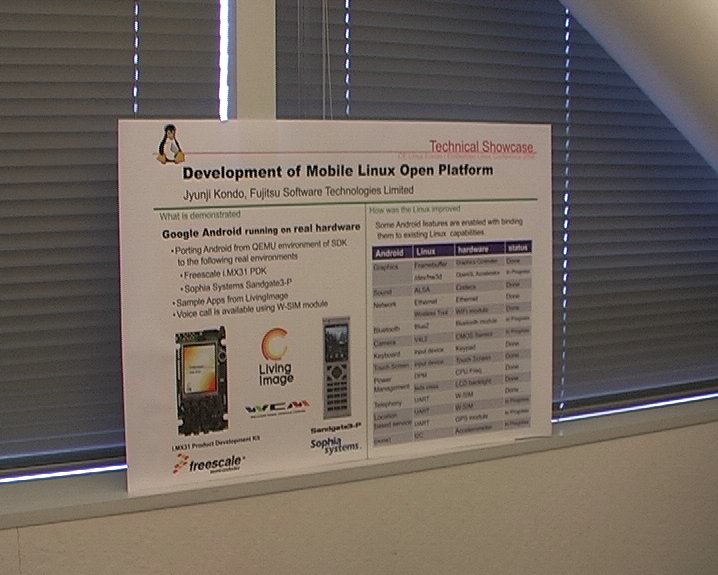
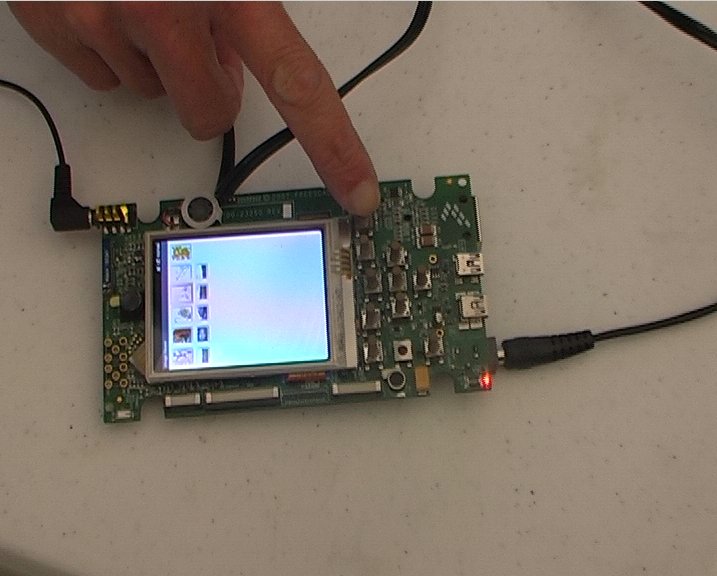
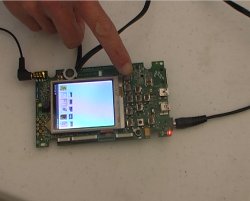
One person from Futjitsu was demonstrating Google Android on real
hardware. They ported Android from the QEMU environment provided in
Google's SDK to real environments : Freescale LMX31 PDF, a
development board, and Sophia Systems Sandgate3-P, a device which
looks like a mix of a phone and a remote controller.
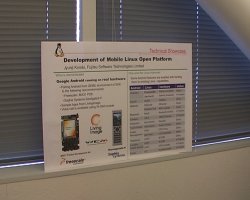
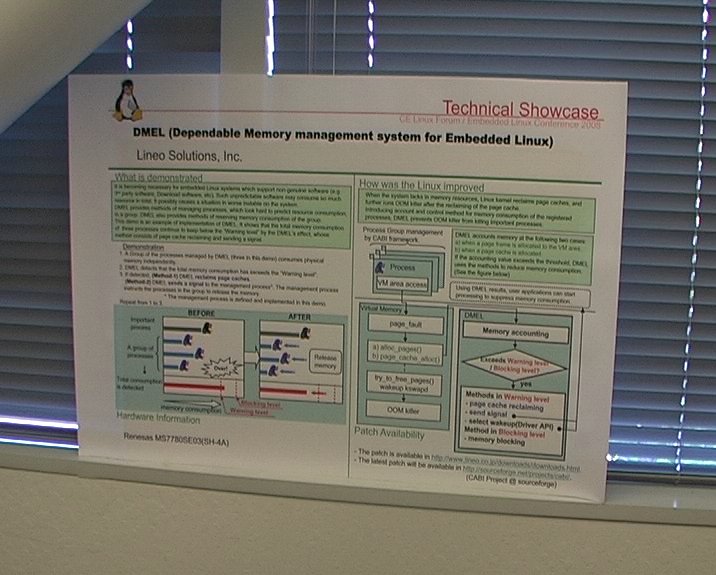
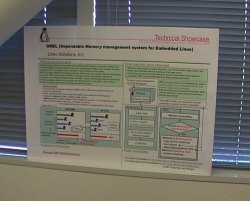
Engineers from Lineo Solutions were demonstrating their work around
memory management, and the management of out-of-memory
situations. They explored in-kernel memory mechanisms and userspace
notifications mechanisms through a signal. The latter sounded
particularly interesting, as it allows to notify applications of
memory pressure inside the kernel. The application could then free
some memory used for temporary caches for example, in order to help
the system to recover for the bad situation.
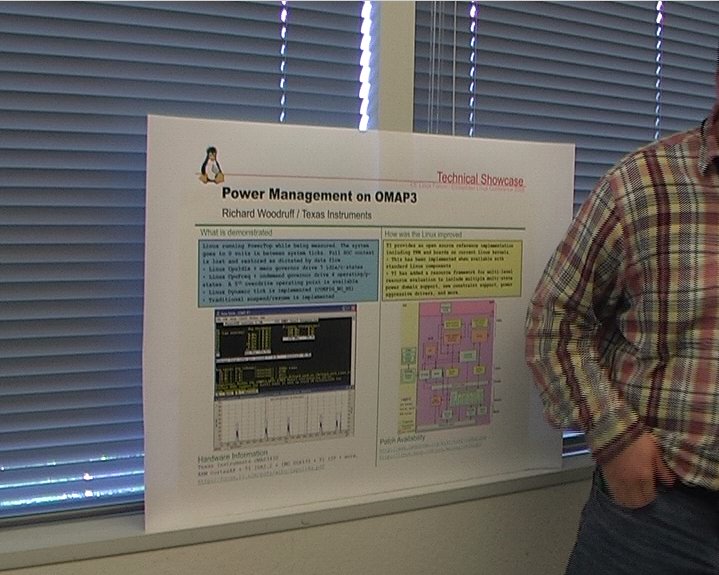
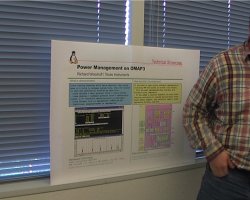
Richard Woodruff, from Texas Instrument, was demonstrating the
power management improvements they made to the Linux kernel in order
to decrease the power consumption of their OMAP3 platform. They have
been able to get very impressive results.
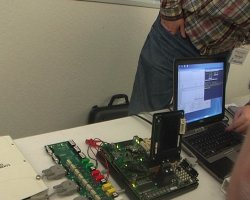
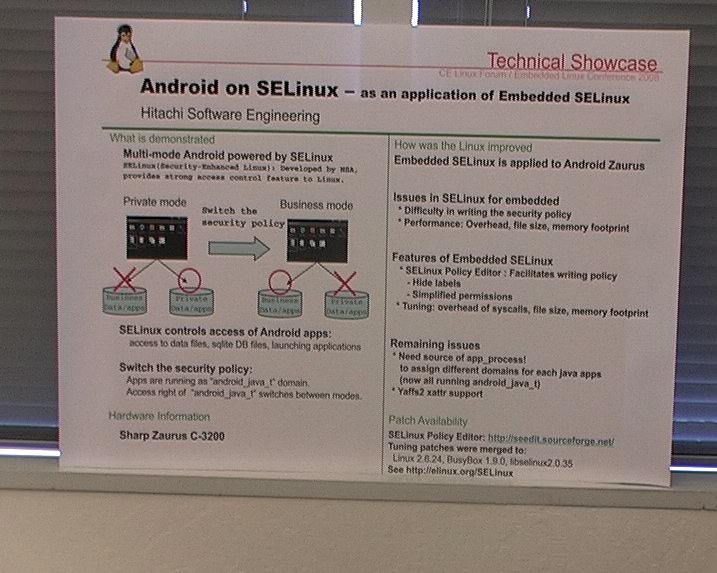
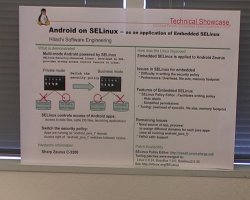
One Hitachi engineer was demonstrating the use of SELinux in
Android. SELinux was used to create to operating modes in
Android : the private mode and the business mode. In private
mode, only personal applications and data are available. In business
mode, only business applications and data are available. And the
isolation between these two worlds is enforced by SELinux.
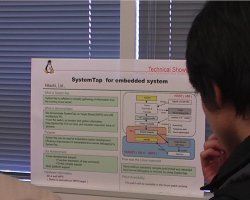
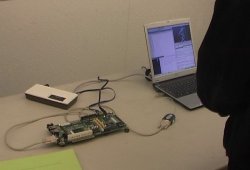
Another Hitachi engineer was demonstrating the use of SystemTap in
an embedded system. SystemTap was not designed with the
cross-compilation and host/target separation problems in mind. So they
improved SystemTap to make it more easily usable in embedded
situations : the kernel module generate by SystemTap can be
cross-compiled, then loaded to a remote target, and the results can be
gathered on the host. These improvements will soon be published.
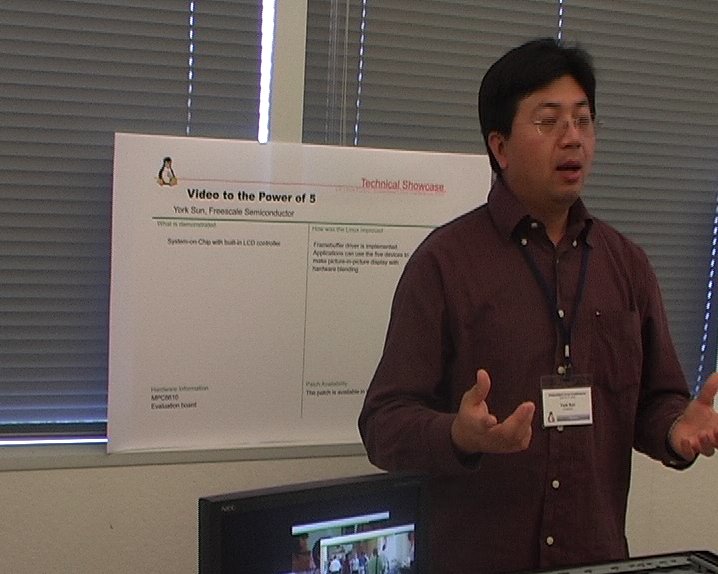
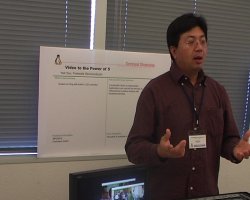
York Sun, from Freescale Semiconductor was demonstrating a new CPU,
with interesting framebuffer capabilities. The framebuffer controller
is able to overlay in hardware several layers, which is very useful in
things such as navigation systems. York Sun gave more details about
Linux support of such a framebuffer controller in the talk entitled
Adding framebuffer support for Freescale SoCs.
Day 2
Keynote: The relationship between kernel.org development and the
use of Linux for embedded applications, Andrew Morton
Link to the video
(55 minutes, 240 megabytes) and the slides.
The second day started by a conference given by a famous special
guest : Andrew Morton. After an introduction by conference
organizer Tim Bird, Andrew started his talk entitled The relation
ship between kernel.org development and the use of Linux for embedded
applications.
His talk was already the subject of several reports,
at least one on LWN,
by Jake Edge.
Andrew Morton's talk was not technical at all, it rather discussed
how embedded companies could participate more in mainline kernel
development, what are their interests to do so, and how this can be
mutually beneficial to both the companies and the kernel
community.
Linux Tiny, Thomas Petazzoni
Link to the video
(32 minutes, 140 megabytes). Thanks to Jean Pihet, Montavista for
recording the talk.
Making a full and complete report of your editor's talk wouldn't be
very interesting, so let's let other persons do that. Just to sum up,
the talk discussed the following topics :
- Why is the kernel size important ?
- Demonstration of the fact that the kernel size is growing, in a
significant way over the years
- History, goal and current status of the Linux Tiny project
- Future work on this project
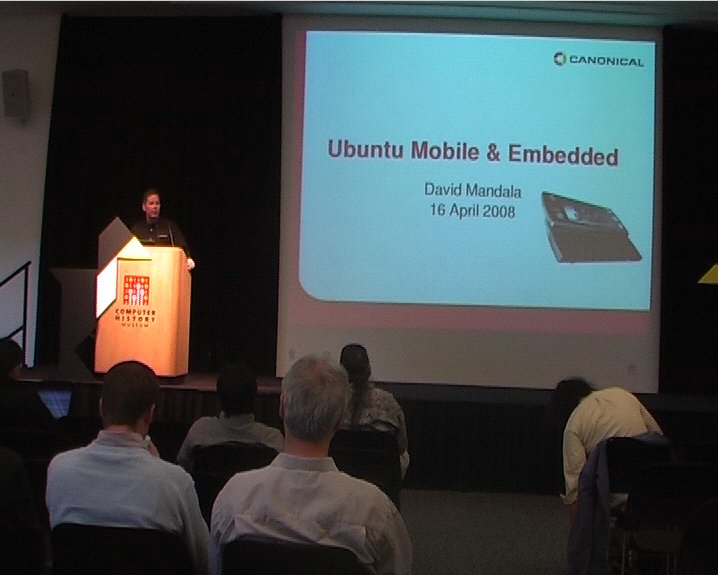
UME, Ubuntu Mobile and Embedded, David Mandala
Link to the video
(30 minutes, 145 megabytes) and the slides.
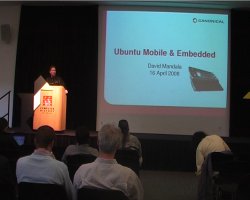 David Mandala gave a not very
technical talk about UME, Ubuntu Mobile and Embedded. He first
described the type of devices targetted by UME : the devices are
called MID, for Mobile Internet Devices. He described them as
« consumer centric devices », « task oriented
devices », offering a simple and rich experience with an
intuitive UI and an "invisible" Linux OS.
David Mandala gave a not very
technical talk about UME, Ubuntu Mobile and Embedded. He first
described the type of devices targetted by UME : the devices are
called MID, for Mobile Internet Devices. He described them as
« consumer centric devices », « task oriented
devices », offering a simple and rich experience with an
intuitive UI and an "invisible" Linux OS.
He then described Ubuntu Mobile & Embedded as a completely new
product based on Ubuntu core technology. It incorporates open source
components from maemo.org, adds new
mobile applications developed by Intel and adapts existing open source
applications for mobile devices. The challenges for UME are mainly
that applications can't fit on small screens and that applications are
designed for keyboard and mouse, not fingers and touch screen. The big
focus of UME is on these two problems, not on other embedded related
issues such as system size, boot time, memory consumption, port to
other architectures, etc. This is a point that has been raised by the
Rob Landley at the end of the talk, and it seems that at the moment,
these topics are not in the radar of the UME project.
David Mandala listed the differences between UME and the standard
Ubuntu desktop : GNOME Mobile (Hildon) is used instead of the
standard GNOME desktop, applications are optimized to fit in 4.5" to
7" touch LCD, optimizations for power consumption (with a reference to
the LPIA
acronym, which seems to stand for Low Power on Intel Architecture),
built-in drivers for WiFi, WiMax, 3G and Bluetooth. The size of the
system will be around 500 megabytes, it targets devices with more than
2 gigabytes of Flash. Not something we can call
resource-constrained.
The global architecture of Ubuntu Mobile is similar to a normal
Linux desktop : the kernel with its drivers, X11 with Cairo,
Pango, OpenGL, a networking layer, basic frameworks like Gtk, HAL,
D-Bus, Gstreamer, and then application for PIM, e-mail, web browsing,
instant messaging, etc. David Mandala also mentionned the problem of
proprietary applications with redistribution restrictions, such as
a Flash player and video codecs.
Mandala mentionned the Moblin
website, « a place for specific Intel software for
MIDs ». The projects focus on things such as an image
creator, a power policy manager and a web browser. Ubuntu Mobile
integrates applications and solutions from the standard Ubuntu, from
Moblin and from GNOME Mobile.
 Canonical representative
then discussed the community they are building around Ubuntu
Mobile. It works pretty much like the standard Ubuntu community :
transparent community process, a MID/Mobile track at the Ubuntu
Developer Summit, a code of conduct, open and transparent community
councils and boards, use of launchpad.net, etc. Canonical will
dedicate a three person team to the mobile community, and they will
engage with upstream communities to work with them in improving mobile
solutions.
Canonical representative
then discussed the community they are building around Ubuntu
Mobile. It works pretty much like the standard Ubuntu community :
transparent community process, a MID/Mobile track at the Ubuntu
Developer Summit, a code of conduct, open and transparent community
councils and boards, use of launchpad.net, etc. Canonical will
dedicate a three person team to the mobile community, and they will
engage with upstream communities to work with them in improving mobile
solutions.
It is also worth noting that LWN published a short report of this talk.
Hacking an existing phone for phase change memory, Justin
Treon
Link to the video
(28 minutes, 159 megabytes) and the slides.
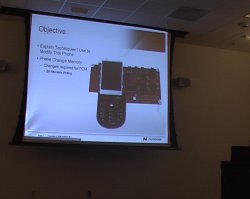 In this talk, Justin
Treon, from Numonyx, explained how he hacked into a phone running
Linux and how he modified it to use «Phase change memory». He first
explained how he managed to get serial and JTAG working, then how he
reduced the amount of SD-RAM from 48 megabytes to 32 megabytes
(because of the use of Phase Change Memory, less RAM is actually
needed to run the same system and set of applications).
In this talk, Justin
Treon, from Numonyx, explained how he hacked into a phone running
Linux and how he modified it to use «Phase change memory». He first
explained how he managed to get serial and JTAG working, then how he
reduced the amount of SD-RAM from 48 megabytes to 32 megabytes
(because of the use of Phase Change Memory, less RAM is actually
needed to run the same system and set of applications).
Phase
change memory, or PCM in short, is a type of non-volatile memory,
that combines advantages of the exising types of memory without having
their drawbacks. PCM allows execution in place, like NOR flash, it is
fast to write, like NAND flash, and doesn't require erase and can be
modified on a bit-by-bit basis, like RAM. Using PCM greatly simplifies
the software stack (no need for a Flash Translation Layer, for erase,
block management, garbage collection), and improves system
performances, he said. PCM is backward compatible with Flash, it
supports traditionnal erase and write commands. But it also offers new
commands like «Bit-Alterable Write One Word» and «Bit-Alterable Buffer
Write» with which block erasing is not needed anymore.
 Justin Treon then explained
how he hacked the Flash code of the Linux kernel to support PCM. His
modifications are very hacky at the moment (direct hack of
Justin Treon then explained
how he hacked the Flash code of the Linux kernel to support PCM. His
modifications are very hacky at the moment (direct hack of
mtdblock), but he wants to improve them in the
future.
Shifting sands: lessons learned from Linux on FPGA, Grant
Likely
Link to the video
(47 minutes, 261 megabytes) and the slides.
Grant Likely, who works for Secret Labs Technologies Ltd., is an
experienced kernel developer of the PowerPC port&nsbp;: he works on
the device tree and gave a talk entitled A symphony of
flavours: using the device tree to describe embedded hardware, to
which I unfortunately couldn't attend due to the three simultaneous
tracks of ELC. However, in this talk, Grant wanted to share his
experience with running Linux on FPGA.
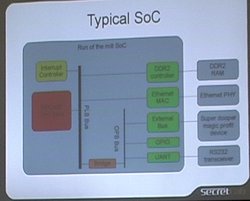 At the beginning of his
talk, he first gave some context on running Linux on FPGA. He first
presented the typical architecture of a System-on-Chip (SoC) : in
a single chip, one has a CPU, an interrupt controller, a memory
controller and several peripheral controllers, such as Ethernet MAC,
UART, GPIOs and other external buses. On his diagram, all that stuff
fitted inside a big grey box representing the chip, and was connected
to external boxes (DDR2 RAM, Ethernet PHY, serial transceiver,
etc.)
At the beginning of his
talk, he first gave some context on running Linux on FPGA. He first
presented the typical architecture of a System-on-Chip (SoC) : in
a single chip, one has a CPU, an interrupt controller, a memory
controller and several peripheral controllers, such as Ethernet MAC,
UART, GPIOs and other external buses. On his diagram, all that stuff
fitted inside a big grey box representing the chip, and was connected
to external boxes (DDR2 RAM, Ethernet PHY, serial transceiver,
etc.)
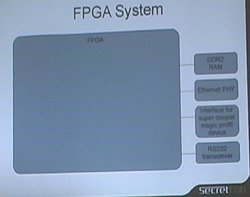 Then, he showed a "FPGA
system". The big grey box is now completely empty. One has to
implement everything inside it, using specific languages such as VHDL or Verilog. This is nice,
because it's very flexible : the full chip can be completely
programmed in a custom way.
Then, he showed a "FPGA
system". The big grey box is now completely empty. One has to
implement everything inside it, using specific languages such as VHDL or Verilog. This is nice,
because it's very flexible : the full chip can be completely
programmed in a custom way.
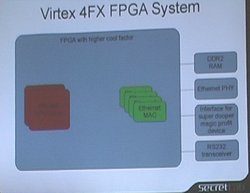 However, people using
FPGA soon discovered that they were often implementing the same
blocks, and that they could benefit from having this block directly in
hardware. It could make these blocks faster with reduced consumption
of programmable gates. Grant presented the architecture of a FPGA
with higher cool factor, the Virtex
4FX FPGA system. It's a FPGA in which one or two PowerPC processor
blocks, two or four Ethernet MACs, and between 0 and 24 RocketIO
serial transceivers are implemented in hardware (see this product
table). These are fixed in hardware, they cannot be changed. But
they are available in the same chip as the normal FPGA, which can be
programmed for custom applications. The rest of Grant's talk focused
on running Linux on the PowerPC, not on the FPGA itself, because as he
said, he is not a FPGA engineer.
However, people using
FPGA soon discovered that they were often implementing the same
blocks, and that they could benefit from having this block directly in
hardware. It could make these blocks faster with reduced consumption
of programmable gates. Grant presented the architecture of a FPGA
with higher cool factor, the Virtex
4FX FPGA system. It's a FPGA in which one or two PowerPC processor
blocks, two or four Ethernet MACs, and between 0 and 24 RocketIO
serial transceivers are implemented in hardware (see this product
table). These are fixed in hardware, they cannot be changed. But
they are available in the same chip as the normal FPGA, which can be
programmed for custom applications. The rest of Grant's talk focused
on running Linux on the PowerPC, not on the FPGA itself, because as he
said, he is not a FPGA engineer.
Grant then presented the status of Virtex FPGA Linux support. There
is basic support in mainline, for serial ports, ML300/403 framebuffer
and SystemACE device. The extra drivers are available in Xilinx public
git tree : Ethernet devices, DMA, I2C, GPIO, Microblaze
support. At the time of the talk, this git tree was uptodate with
2.6.24-rc8, but some rewrite work was needed before mainline merge.
 The first lesson learned that
the speaker wanted to share with the audience was summarized by
Don't make developers lives hard. As his slides say, hardware
engineers don't like to compile kernels, and software engineers don't
like to synthesis bitstreams. He explained that when doing development
on a FPGA, the peripherals addresses and configurations can be changed
at any time by the hardware people. At the beginning, the synthesis
process generated a file with addresses definitions, which was then
included by the Linux kernel to know how to compile the drivers
properly. Which means that anytime an hardware engineer wanted to run
Linux on a modified FPGA, he had to recompile the kernel (which he
doesn't like to do). This is where device tree comes into
play. It is basically a file that one can give to the kernel at boot
time (and not compile time), and that lists the configuration for the
various peripherals of the system. This file can for example be
generated by the synthesis process of the hardware engineers, so that
they don't have to mess up with kernel compilation anymore. And
software engineers don't have to mess up with bitstream synthesis
anymore.
The first lesson learned that
the speaker wanted to share with the audience was summarized by
Don't make developers lives hard. As his slides say, hardware
engineers don't like to compile kernels, and software engineers don't
like to synthesis bitstreams. He explained that when doing development
on a FPGA, the peripherals addresses and configurations can be changed
at any time by the hardware people. At the beginning, the synthesis
process generated a file with addresses definitions, which was then
included by the Linux kernel to know how to compile the drivers
properly. Which means that anytime an hardware engineer wanted to run
Linux on a modified FPGA, he had to recompile the kernel (which he
doesn't like to do). This is where device tree comes into
play. It is basically a file that one can give to the kernel at boot
time (and not compile time), and that lists the configuration for the
various peripherals of the system. This file can for example be
generated by the synthesis process of the hardware engineers, so that
they don't have to mess up with kernel compilation anymore. And
software engineers don't have to mess up with bitstream synthesis
anymore.
The second lesson learned was to get the drivers into mainline, and
Grant referred to Andrew Morton's talk in the morning, that just said
the same thing. Grant Likely said « You're not doing anything
that novel anyway. No: you're really not », trying to fight the
usual "intellectual property protection" argument.
The third lesson learned is that with FPGA, «hardware is the new
software», so that one should follow software best practices :
revision control, automated builds and peer review. Grant even suggest
to let the software people have a look at the hardware design, and
vice-versa.
The fourth lesson is that when you have a problem, it « really
might be a hardware bug ». Grant advices to talk your hardware
engineer immediatly when you have problems, because he is able to
probe any signal inside the FPGA design.
The fifth lesson is to not spend all the budget on "boring" stuff,
such as getting PCI, USB, Ethernet or serial working. Grant Likely
cited Matt Mackall who said : « if your vendor isn't
pushing stuff to mainline, go beat them up ». You shoud
probably be spending your time on interesting stuff, such as
developing the custom application logic you want to put inside the
FPGA. So Grant suggests to choose careful the platform at the design
stage by making sure that Linux support is correct, and that viable
device drivers are available. He mentionned the experience of the
Cypress c67x00 USB driver that he had to develop. It took three months
for something that was absolutely not directly interesting for the
project. But the piece of hardware was here, in their design, he had
no other choice that developing the driver for it.
 The sixth lesson learned is
very classical to software engineering : make things work first
before you try to optimize them (to make it faster, smaller, or more
clever).
The sixth lesson learned is
very classical to software engineering : make things work first
before you try to optimize them (to make it faster, smaller, or more
clever).
The seventh lesson is to prepare for dynamic hardware in the
kernel. When working with FPGA, one should expect things to change, at
a much faster rate than with SoCs.
The next lesson was entitled « User space sucks ». Grant
thinks that it's easy to cross-compile kernels, but that
cross-compiling userspace is hard. So he suggests to get the userspace
problem solved early.
After that, the question and answer session started. The first
question was concerns about the increase in boot time caused by the
use of the device tree. Grant said that using the device tree is
mandatory, but one could still limit its use to only a few things. But
he was a bit skeptical about the fact that the device tree is actually
responsible for increasing the boot time. He suggested making some
measurements, because he always found the kernel uncompression step to
be the biggest time consumer in the booting process of the
kernel.
 During the discussion, he
used the term «SystemACE», and one person of the audience asked what
SystemACE was, so Grant started an explanation about what it actually
is. The SystemACE is a separate chip, next to the FPGA. On one side,
it has a Compact Flash interface. On the other side it has a 8-bit bus
connexion and a JTAG connexion with the FPGA. When the board is
powered up, the SystemACE reads data files from the Compact Flash and
pushed that data stream to the FPGA to configure it. After boot, the
SystemACE can also be used as an interface for the FPGA to read more
informations from the Compact Flash. The SystemACE mechanism is also
documented on the Xilinx
website. It is not the only solution to configure the FPGA at boot
time, CPLD are also commonly used. The data file used by the SystemACE
is actually a list of JTAG commands, so one can actually use it to
push the bistream to the FPGA, but also to load the kernel to memory
for example (but this is slow because of the limited JTAG speed, Grant
said). Following a question for the audience, Grant suggested to have
a normal Flash connected to the FPGA. The SystemACE is used to load a
simple loader, which will then run on the FPGA and load the kernel
from Flash.
During the discussion, he
used the term «SystemACE», and one person of the audience asked what
SystemACE was, so Grant started an explanation about what it actually
is. The SystemACE is a separate chip, next to the FPGA. On one side,
it has a Compact Flash interface. On the other side it has a 8-bit bus
connexion and a JTAG connexion with the FPGA. When the board is
powered up, the SystemACE reads data files from the Compact Flash and
pushed that data stream to the FPGA to configure it. After boot, the
SystemACE can also be used as an interface for the FPGA to read more
informations from the Compact Flash. The SystemACE mechanism is also
documented on the Xilinx
website. It is not the only solution to configure the FPGA at boot
time, CPLD are also commonly used. The data file used by the SystemACE
is actually a list of JTAG commands, so one can actually use it to
push the bistream to the FPGA, but also to load the kernel to memory
for example (but this is slow because of the limited JTAG speed, Grant
said). Following a question for the audience, Grant suggested to have
a normal Flash connected to the FPGA. The SystemACE is used to load a
simple loader, which will then run on the FPGA and load the kernel
from Flash.
The next question was how to handle, from the Linux perspective,
the flow of data to the FPGA and out of the FPGA, considering the fact
that this flow of data is usually very high-speed, but that the CPU
doesn't need to touch it. Grant then offered an interesting view of a
hardware architecture that allows to transfer large amount of memory
from a high speed source to the DDR, using MPMC, the Multi
Port Memory Controller, which is available on Xilinx chips. Grant
then offered very technical and precise recommandations on how to
handle that from Linux perspective. I recommend anyone interested by
the details to look at the video of the talk.
Using a JTAG for Linux driver debugging, Mike Anderson
Link to the video
(113 minutes, 694 megabytes) and the slides.
 During this two hours
tutorial, Mike Andersen first described the development of a simple
character device driver, and then to the debugging of the Linux kernel
and Linux kernel modules using a JTAG. He described what JTAG are,
what kind of hardware and software you need, how you can use them with
gdb, how you configure them. This tutorial is a very good introduction
to the use of JTAG devices for those who never and only rarely used
that kind of debugging technology.
During this two hours
tutorial, Mike Andersen first described the development of a simple
character device driver, and then to the debugging of the Linux kernel
and Linux kernel modules using a JTAG. He described what JTAG are,
what kind of hardware and software you need, how you can use them with
gdb, how you configure them. This tutorial is a very good introduction
to the use of JTAG devices for those who never and only rarely used
that kind of debugging technology.
However, as this talk is a tutorial with lots of live
demonstrations, it's probably not worth making a full report of
it. Your editor rather suggests the reader to directly look at the
video. Mike Anderson speaks very clearly, with a loud voice, making
his tutorial very easy to understand, even for non-native english
speakers.
Social event
 Day 2 ended with the usual
social event for such conferences. It started with a nice barbecue in
the garden next to the Computer History Museum building. The
conference attendees were able to prolong their discussions around
tables, with lots of meat, wine and beer. After that barbecue, the
attendees were invited to the Mountain View Laser Quest, on the other
side of the street, to get some fun fighting with laser guns. Laser
Quest employees were a bit puzzled by the nicknames choosen by the
participants :
Day 2 ended with the usual
social event for such conferences. It started with a nice barbecue in
the garden next to the Computer History Museum building. The
conference attendees were able to prolong their discussions around
tables, with lots of meat, wine and beer. After that barbecue, the
attendees were invited to the Mountain View Laser Quest, on the other
side of the street, to get some fun fighting with laser guns. Laser
Quest employees were a bit puzzled by the nicknames choosen by the
participants : fbflush, sbin init,
dev zero, kill -9 or rm -rf
/. Such social events are always a nice addition to the
conference in that they allow to create more contacts with the other
attendees.
Day 3
Appropriate Community Practices: Social and Technical advices,
Deepak Saxena
Link to the video
(44 minutes, 139 megabytes).
 Your editor thought
that sharing the video of such a talk with the community would be very
interesting, and Kevin Hilman, a colleague of Deepak Saxena at
Montavista, kindly accepted to record the talk. Thanks !
Your editor thought
that sharing the video of such a talk with the community would be very
interesting, and Kevin Hilman, a colleague of Deepak Saxena at
Montavista, kindly accepted to record the talk. Thanks !
During that talk, your editor attended the Adding Framebuffer
Support for Freescale SoCs, detailled below.
Adding framebuffer support for Freescale SoCs, York Sun
This talk followed the demonstration
made by York Sun of a new Freescale CPU with impressive framebuffer
capabilities, the MPC8610.
It is an high-performance chip with interesting controllers, but the
controller that was discussed during this talk was the LCD
controller. The controller is able to do real-time blending of up to
three planes, and handle transparency between the planes. Inside each
plane, several non-overlaping windows can also be created to render
different applications, videos or pictures. The chip is able to
display at 1280x1024, 60 Hz with a color depth up to 24 bits.
York Sun described the implementation of the Linux framebuffer
driver for such a chip. He decided to export several framebuffer
devices to userspace, one for each plane /dev/fb0,
/dev/fb1 and /dev/fb2. The former is the
main plane, while the last two are the secondary planes. An
application can render to any of these planes, the hardware will do
the blending in real-time magically. However, there are still some
differences between the primary plane and the secondary
planes. System-wide configuration can only be made on the primary
plane, for example.
This talk was interesting because it was an illustration of new
hardware capabilities that creates new challenges for Linux device
drivers. The existing frameworks always have to be redesigned,
refactorized, to take into account new hardware capabilities.
Back-tracing in MIPS-based Linux systems, Jong-Sung Kim
Link to the video
(54 minutes, 160 megabytes) and the slides.
In this talk, Jong-Sun Kim, with a very light voice making the talk
difficult to understand, made a report of his work on MIPS
back-tracing, which happens to be a complex topic.
 Of course, everyone knows
that backtracing is very useful for debugging. However, backtracing
facilities such as gcc's
Of course, everyone knows
that backtracing is very useful for debugging. However, backtracing
facilities such as gcc's __builtin_return_address() or
glibc's backtrace(3) or backtrace_symbols(3)
are not available on MIPS. Jong-Sun then described a typical
real-world MIPS stack frame in order to explain why back-tracing on
MIPS is a difficult thing : there is no easy way to get the
address of the caller stack frame.
So, the only solution, detailled by Jorg-Sun, is binary code
scanning. The speaker presented typical function prologue and epilogue
code, and the backtracing procedure that can be used on MIPS (both in
english and in C language). The procedure scans the prologue of the
function to get informations from the instructions themselves on the
stack frame size, and deduce the location of the caller stack frame
from that.
Then, Jorg-Sun presented the challenges posed by back-tracing
inside a signal handler. The execution context of a signal handler is
a bit special, and adaptation of the back-tracing procedure has to be
done to handle this case properly.
However, these procedures are not perfect : leaf functions
(that do not save registers) or assembly-coded or higly-optimized
functions can have non-typical prologue code that could defeat the
proposed back-tracing procedures. The speaker then showed some
demonstrations of his back-tracing procedures, and said that he is
currently working on releasing these functions as an open-source
library or inside the MIPS port of the C library.
After this presentation, the questions and answers session started,
to which the speaker didn't really participate, probably due to
language understanding problems. It happened that in the audience,
four different people already made four different implementations of
back-tracing procedures for MIPS. Some of them claimed to have better
implementations than the one proposed by Jorg-Sun (for some obscure
details that your editor couldn't get), but none of these
implementations are currently released or available as part of the C
library.
After the long discussion on what to do about back-tracing on MIPS,
the speaker went back to his presentation with an interesting appendix
on a crash report system used in LG Electronic products. The goal of
this system is to guarantee that in-time informations about system
crashes could not be lost. Their system include a watchdog, which on
expiration, will trigger a in-kernel procedure that will store the
contents of the circular log buffer used for the console and in-time
debug informations into a NVRAM, for later debugging. Jorg-Sun then
explained the implementation details of their solution and showed an
example of its use.
DirectFB internals, Things to know to write your DirectFB
gfxdriver, Takanari Hayama
Link to the video
(57 minutes, 160 megabytes).
 To start the talk, Takanari by
giving a short presentation of DirectFB. It is a lightweight and
small footprint (< 700 kilobytes on SH4, the architecture of interest
for the presenter). It doesn't have any server/client model like X11
has. DirectFB offers an hardware abstraction layer for hardware
graphics acceleration : anything not supported by hardware will
still be supported by software. DirectFB has multi-process support and
other things, such as a built-in window manager and more.
To start the talk, Takanari by
giving a short presentation of DirectFB. It is a lightweight and
small footprint (< 700 kilobytes on SH4, the architecture of interest
for the presenter). It doesn't have any server/client model like X11
has. DirectFB offers an hardware abstraction layer for hardware
graphics acceleration : anything not supported by hardware will
still be supported by software. DirectFB has multi-process support and
other things, such as a built-in window manager and more.
The first embedded chip supported by the mainline version of
DirectFB was Renesas
SH7722.
The speaker then detailled the architecture used to support
this device in DirectFB. At the lower level, one find the
hardware : video memory and hardware, and video hardware
accelarator. On top of that, they run an unmodified Linux kernel to
which they add a kernel module that handles the video hardware
accelarator. It receives commands from an userspace part, integrated
as a module in DirectFB, called the gfxdriver, which is
specific to a given video hardware. They also use the already existing
devmem system module of DirectFB that allows to access the
video memory using the /dev/mem character device. So all
what they had to implement was a kernel module and an userspace
gfxdriver, all the rest was existing code.
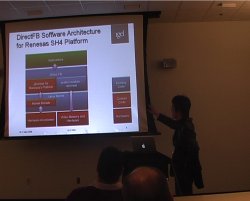 Takanari then presented
important terms in DirectFB terminology. From his slides :
Takanari then presented
important terms in DirectFB terminology. From his slides :
- Layers represent independent graphic buffers. Most of
embedded devices have more than one layer, they get layered with
appropriate alpha blending by hardware, and displayed
- Surface is a reserved memory region to hold pixel
data. Drawing and blitting operations in DirectFB are performed
from/to surfaces. Memory of surfaces could be allocated from video
memory or system memory depending on the given constraints
- Primary surface is a special surface that represents the
frame buffer of a particular layer. If the primary surface is single
buffered, any operation to the primary surface is directly visible
to the screen
DirectFB is composed of several modules that can be extended in an
object-oriented way : system modules, graphic drivers, graphic
devices, screens and layers. A system module should implement the
functions of the CoreSystemFuncs structure declared in
core_system.h and should be declared with
DFB_CORE_SYSTEM(). A graphic driver should implement the
GraphicsDriverFuncs structure declared in
graphic_driver.h and be declared using
DFB_GRAPHICS_DRIVER(). A graphic device object should
implement the methods of the GraphicsDeviceFuncs
structure (in gfxcard.h) and be registered inside the
driver_init_driver() method of
GraphicsDriverFuncs. Screens objects should implement the
ScreenFuncs methods (in screens.h) and be
registered with dfb_screens_register(). Finally, layers
objectfs should implement DisplayLayerFuncs methods (in
layers.h) and be registered using
dfb_layers_register(). At this time of the talk, things
were a bit confused in your editor's mind, which is only a beginner in
DirectFB internal concepts. Fortunately, during the rest of the talk,
Takanari explained the role of each module and how to actually
implement them.
He first discussed the system module. A system module provides
access to the hardware ressources (framebuffer and hardware
management). As of DirectFB 1.1.0, several system modules are
available : fbdev (the default, which uses the kernel framebuffer interface
through the /dev/fb* devices), osx,
sdl, vnc, x11 and
devmem. The system module to use can be specified in the
directfbrc file using system=devmem for
example.
For embedded systems, the devmem system module, merged
in DirectFB 1.0.1 is particularly interesting. It uses
/dev/mem to access graphics hardware and
framebuffer. According to the speaker, it's a convenient way for those
using memory mapped I/O and uniform memory among CPU and graphics
accelerator, and it seems that most embedded devices fall into this
category. When using devmem, one must specify additional
parameters : video-phys, the physical address of the
beginning of the video memory, vido-length, its length,
mmio-phys, the physical address of the beginning of the
MMIO area used to control the graphics hardware,
mmio-length, its length and accelerator, a
ID used by DirectFB core to select the graphics driver. These values
have to be specified in the directfbrc configuration
file.
Takanari described how DirectFB matches systems and
gfxdrivers. The DirectFB core calls the
driver_probe() method implemented in each
gfxdriver to ask each driver whether they support a particular
piece of detected hardware. If supported by the gfxdriver, the
driver_probe() method should return a non-zero
value. When using devmem, there is a special case :
the value passed to driver_probe() is the value passed
using the accelerator parameter. So one has to make sure
that they match.
Then, Takanari went to the core of the talk, writing the graphics
driver. It consists of several components : the graphics driver
module, the graphics device module, the screen module (optional for
fbdev, but mandatory for devmem) and the
layer module (also optional for fbdev, but mandatory for
devmem). To get your graphics accelerator working, this
is the code you must write, he said. One can use devmem,
so that there is no need to write a kernel framebuffer driver usable
through fbdev.
First, the graphics driver. At the beginning of the file, give a
new to your graphics driver, using
DFB_GRAPHICS_DRIVER(yourname). After that, DirectFB
expect to find six functions. First, driver_probe()
(detailled earlier), driver_get_info() to get
metainformations about the driver, driver_init_driver()
and driver_close_driver() to initialize and close the
driver. driver_init_driver() is responsible for acquiring
all the hardware resources (setting up the mappings, etc.) and then to
register screens and layers. It is also responsible for setting
pointers to acceleration functions in a
GraphicsDeviceFuncs structure. Finally, one must define
driver_init_device() and
driver_close_device() to initialize and close the
device. In driver_init_device() you must for example set
the device capabilities, so that the DirectFB core knows what the
device can do in hardware, and what it will have to do in
software.
Takanari then detailled again the initialization steps of a
gfxdriver. From his slides :
- DirectFB calls
driver_probe() in each
gfxdriver on the system with a graphics device identifier to
find the corresponding gfxdriver for the device
- If
driver_probe() returns non-zero, then DirectFB
calls driver_init_driver(). In this function, the
driver should register graphics device functions, screen and
layers.
- The DirectFB core then calls
driver_init_device(),
in which the driver should set the capabilities supported by the
device in a GraphicsDeviceInfo structure.
The GraphicsDeviceFuncs structure lists the functions
supported by the driver, and are set during
driver_init_driver() (see src/core/gfxcard.h
for the definition of this structure and many other important
structures). The driver developer do not have to set all the
functions, only the one for which you want a specific
implementation. According to the speaker, the most interesting and
important ones are : reset/sync of graphics accelerator
(EngineReset(), EngineSync()), check/set
state of the graphics accelerator (CheckState(),
SetState()) and blitting/drawing functions
(Blit, StretchBlit(),
FillRectangle(), DrawLine(), etc.). In
total, there are twenty-two functions that can set through this
GraphicsDeviceFuncs structure.
 The acceleration process was then
described by Takanari. DirectFB starts by calling the
The acceleration process was then
described by Takanari. DirectFB starts by calling the
CheckState() method to ask the driver whether it is
possible to execute a specific operation with a specific state. The
driver can either answer that it supports the operation, or not. If
not, DirectFB will fall back to software rendering. If the hardware
supports the operation, then DirectFB calls SetState(),
which gives the opportunity to the driver to program the hardware for
the execution of a given operation in a given state. Once done,
DirectFB finally calls the appropriate drawing/blitting function, such
as Blit(). As Takanari explained, thanks to this modular
approach to acceleration support, one can start with a very basic
driver with no acceleration and incrementally add support for the
acceleration of the different operations, one by one.
The speaker then mentionned the possibility of queuing draw/blit
commands, if the graphics accelerator supports this. If so, you can
queue the draw/blit operations as much as you can and then kick the
hardware. This is implemented through the EmitCommands
operation, and an example of this is visible in the
sh7722 gfxdriver.
Now that the graphics driver and device modules have been covered,
Takanari went to the discussion of the screen module. A screen
represent an ouput device, such as an LCD. For a fixed size screen,
the minimum function that the driver developer has to define are
InitScreen() and GetScreenSize. The screen
operations must be listed in a ScreenFuncs structure (see
src/core/screens.h for the definition), and registered by
the driver_init_driver() operation using the
dfb_screens_register() function.
Then, layers. They represent independent graphics buffer, and they
are converged by the hardware when they get displayed on the screen
(usually with alpha blending). Layers are required to be able to
change the size, the pixel format, the buffering mode, the
colour-lookup table (CLUT) and to be able to flip buffers. The layer
operations must be implemented and listed in a
DisplayLayerFuncs structure (see
src/core/layers.h for the definition), and registered by
the driver_init_driver() operation using the
dfb_layers_register() function. The important display
layer operations are : LayerDataSize() (returns size
of the layer data to be stored in shared memory),
RegionDataSize() (returns size of region data to be
stored in shared memory), InitLayer() (initialize layer),
TestRegion() (check if given parameters are supported),
SetRegion() (program hardware with given parameters),
RemoveRegion() (remove the region),
FlipRegion() (flip the frame buffer).
To finish the talk, Takanari gave detailed informations about
surface allocation. DirectFB 1.0 used a single one-dimensional linear
Surface allocator. Using the DCAPS_VIDEOONLY flag, one
could request a surface in the form of a contiguous memory block, and
with DCAPS_SYSTEMONLY, the surface is allocated using
malloc(). For embedded graphics accelerator, Takanari
said that you're likely required to use physically contiguous memory,
so that DCAPS_VIDEOONLY is the only solution. The only
way to customize the surface allocation was through the Layer Driver
API, mostly for primary surfaces. Takanari then gave examples of cases
where you would want to customize the surface allocation, and
explained how this can be done in DirectFB 1.0. Then, he introduced a
new concept that has been added in DirectFB 1.1 : surface
pools, which greatly simplify the topic of surface
allocation. Takanari then detailed this new concept, and suggested to
read the documentation of DirectFB Surface Pools.
OpenEmbedded for product development, Matthew Locke
Link to the video
(49 minutes, 141 megabytes) and the slides.
Matthew Locke works for Embedded Alley, so he is a colleague of
Matt Porter, who gave a talk on the first day of the conference about
leveraging existing free and open source software in embedded
projects. Matthew's talk is a very good presentation of OpenEmbedded, with step by step
details on how to use.
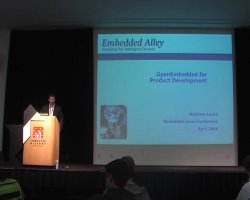 Matthew started his talk with
a bit of background on OpenEmbedded. It has been started inside the
OpenZaurus project in order to easily be able to build applications
for Zaurus PDAs. After some time, the build tool was rewritten to
seperate the build tool for the metadata describing how to build the
various applications. The build tool, named
Matthew started his talk with
a bit of background on OpenEmbedded. It has been started inside the
OpenZaurus project in order to easily be able to build applications
for Zaurus PDAs. After some time, the build tool was rewritten to
seperate the build tool for the metadata describing how to build the
various applications. The build tool, named bitbake is
based on concepts found in Gentoo's portage
tool. OpenEmbedded is now used by many open source projects :
handhelds.org, Linksys routeurs, Motorola phones, MythTV hardware and
more recently OpenMoko.
The speaker then defined OpenEmbedded as a « self contained
cross build system for embedded devices ». It contains a
collection of recipes that describes how to build thousands of
packages including bootloaders, kernels, libraries and
applications. It targets more than 60 machines and provide over 40
package/machine configurations, which are basically custom
distributions for a given device. OpenEmbedded doesn't contain the
source code for the applications, it fetches it from tarballs or SVN
thanks to instructions in the metadata. At the end, OpenEmbedded
outputs individual packages and filesystem images (jffs2, ext3,
etc.).
The build philosophy of OpenEmbedded is to build from scratch. By
default, it builds the latest version of all components by downloading
their source code and possibly applying patches to them.
OpenEmbedded is implemented using bitbake, whose role
is to parse recipes and configurations, to create a database of how to
tech, configure, build and install each package, to determine the
dependencies between package, to build them in the correct order, in
parallel when possible. It uses the IPK packaging format for
individual packages.
 To setup OpenEmbedded, one
should first decide which metadata version to use (the latest one or a
stable snapshot), then install
To setup OpenEmbedded, one
should first decide which metadata version to use (the latest one or a
stable snapshot), then install bitbake. The speaker
suggests to setup a pristine OpenEmbedded directory, and to not make
your changes directly inside this set of reference metadata. There a
mechanism called overlay that allows to keep to modifications
separate from the code OpenEmbedded. The speaker also suggest to set
up an internal mirror of the upstream softwares you're using, so that
you are sure of the version you will be using and there won't be any
surprise such as upstream server downtime, etc. The switch to an
internal mirror is made very simple in OpenEmbedded.
bitbake parses all configuration and recipes files
found in the directories listed in the BBPATH environment
variables. So one can setup an overlay directory that will contain
specific configuration files, internal packages metadata and that
might overload any pristine metadata. Then, BBPATH should
include two directories : the one with the pristine OpenEmbedded
metadata, and the directory with the overlay information. The overlay
directory should contain two subdirectories : conf/
with custom and overloaded configuration files and
packages/ with internal and overloaded package
files. Using that you can for example overload the default Busybox
configuration provided in the pristine OpenEmbedded metadata by your
specific Busybox configuration.
The configuration files define how the build environment is setup,
package versions, information, global inheritance, target boards,
final image configuration, etc. There are four types of configuration
files, and Matthew went through all of them one by one to give an idea
of what they are useful for.
The first configuration file is the distro configuration
file. It defines the toolchain and package versions, the package
configuration and high level settings such as whether udev should be
used or not, and final image format. Matthew detailled a specific
example of such a configuration file, which simply defines a set of
variables.
The second configuration file is the machine configuration
file, defining board specific versions and features :
architecture, compiler options, kernel version and package provider
and board specific things. Again, the speaker gave an example in which
one could see the architecture specification, the specification of the
udev version and the kernel version, and a list of features that
should be included (alsa, host-usb, gadget-usb, mtd, wifi, etc.). That
list of features will trigger the build and inclusion of various
packages into the final image.
The next configuration file was the recipe files, with the
.bb extension. They contain the necessary information to
build a package, in the form of functions do_fetch(),
do_stage(), do_configure(),
do_compile(), do_install(). There are also
four types of bb files. First classes, that define
common steps for a class of package (for example all kernel packages
share the same building procedure). Then packages, that usually
inherits classes, adds or overrides package specific settings and
steps. The next type of bb files are tasks, that
defines the collection of packages to be built. And the last type,
images, allows to create filesystem images out of tasks.
Matthew then went into more details about tasks. They allow to
divide packages into logical groups, to enable developers to work on
building blocks or to separate production and development. Typically,
one could define four tasks : base (with the base
system, kernel, glibc, busybox, etc.), core (with the
core open source middleware components), apps (with the
product applications) and UI (with the interface specific
components). Of course this is completely flexible.
A task file for base could look like :
RDEPENDS = "\
 ${@base_contains("DEVEL_FEATURES", "alsa", "${ALSA_PKGS}","",d)} \
 base-files base-passwd busybox-devel \
 kernel kernel-modules \
 initscripts sysvinit udev \
 ${@base_contains("DEVEL_FEATURES", "mtd", "mtd-utils", "", d)} \
 ${@base_contains("DEVEL_FEATURES", "wifi", "wireless-tools", "", d)} \
 dropbear \
"
It gives a list of packages, with some packages being included only
if some features have been enabled in the machine configuration
file.
The speaker then gave a list of advises on how to use OpenEmbedded
in the development of a commercial product. First, he suggested to
make local copies of open source components as tarballs on a local
server. He also thinks that locking down the versions of the
components in a Bill of Materials configuration file is a good
idea. This configuration file, using the
PREFERRED_VERSION_<pkgname> = <version>
directive, makes sure that the system is built with the correct
packages version. Then, he suggests to create metadata for the
internal components as well, to use parallel build to speed up the
build and to create and distribute prebuilt build environment
(SDK).
 Once that the base system can
be built using OpenEmbedded, the custom applications still have to be
developed. The speaker gave some tips on how to do that with
OpenEmbedded. There are basically two ways. The first one is to use
OpenEmbedded directly during application development : create a
Once that the base system can
be built using OpenEmbedded, the custom applications still have to be
developed. The speaker gave some tips on how to do that with
OpenEmbedded. There are basically two ways. The first one is to use
OpenEmbedded directly during application development : create a
bb recipe for the applications, keep the revision control
system updated with the changes you want to test, build using
bitbake <packagename> and integrate into the system
by adding the package in the appropriate package file. Powerful
method, but with drawbacks : your application is completely
recompiled everytime, and you must commit your changes to the SCM to
be actually able to test them. The second method is to export the SDK
from OpenEmbedded : setup OpenEmbedded to export the toolchain
and libraries to an environment that is independent from OpenEmbedded,
then build your applications the usual way from your local sources,
and only integrate them into OpenEmbedded when they are ready.
Finally, Matthew described the result of an OpenEmbedded build. It
creates several directories, the interesting ones being
conf, the build specific configuration files,
deploy, the images (in the images/
subdirectory) and individual packages (in the ipk/
subdirectory), staging, that contains the intermediate
install for libraries and headers, work, which is the
build directory, cross that contains the host tools for
the target and rootfs, which contains the expanded root
filesystem generated by OpenEmbedded.
Matthew concluded his talk by describing OpenEmbedded as a
« very powerful metadata system », with many
advantages : layered design that eases customization, supports
commercial software development easily, many supported packages, very
flexible, large community using it and maintaining it. However, he
admitted that the learning curve is quite steep, and that finding a
version of metadata that "just works" can be a challenge.
The resources pointed by the speaker are the OpenEmbedded official website,
the Bitbake manual and
the OpenMoko Wiki, which
contains a lot of information on how to build a complete software
stack with OpenEmbedded.
In the end, your editor found this talk particularly
interesting. He was found of Buildroot, another tool with
similar capabilities, but discovered that OpenEmbedded had some real
advantages over Buildroot, and that it was probably worth spending
some time testing and playing with OpenEmbedded.
Disko, an application framework for digital media devices, Guido
Madaus
Link to the video
(27 minutes, 190 megabytes). The slides can be found on elinux.org.
In this talk, Guido Madaus and his colleague, two german
developers, presented Disko, a framework to develop multimedia
applications for digital media devices. The project started under the
name MorphineTV, which is an application to use inside set-top
boxes. After some time, the developers figured out that a more generic
framework, allowing others to create custom applications and plugins,
would be interesting, and the result of this effort is the
Disko framework. It allows to create GUI applications for
multimedia devices using a simple XML language. The applications are
then fully skinable and themable.
Keynote: the status of embedded Linux and CELF plenary, Tim Bird
Link to the video
(49 minutes, 112 megabytes) and the slides.
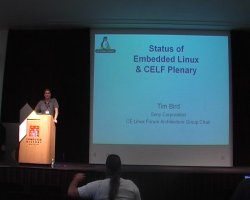 In his conference closing keynote,
Tim Bird starting by giving a list of kernel highlights, things that
happened over the last year and that will probably happen in the
coming months, with of course a focus on embedded related
features. So, for 2.6.24, he highlighted :
In his conference closing keynote,
Tim Bird starting by giving a list of kernel highlights, things that
happened over the last year and that will probably happen in the
coming months, with of course a focus on embedded related
features. So, for 2.6.24, he highlighted :
- Kernel markers introduced in 2.6.24, with maybe LTTng (Linux
Trace Toolkit) coming soon
- Removal of the security module framework
- The power management quality of service work (PM QoS), covered
by a talk during the conference
2.6.25 which was released just during the conference, so that Tim
wasn't even aware of it when starting the talk. But of course, the
well-informed audience noted that and told Tim Bird the good news. Tim
highlighted the following features :
- Kpagemap, Matt Mackall's patches for fine-grained memory
measurement
- The latency measurement API, which is the foundation of
LatencyTOP
- Smack, the simple mandatory access control security module. Tim
said that we need to see if it can makes sense to use it in embedded
systems
On the radar, Tim seems two interesting things. First, the latency
trace system, based on the gcc -mcount feature, which
support multiple tracers and is based on the latency tracer available
in the RT tree. And also mem_notify, which allows
processes to avoid the OOM killer by responding to events and
shrinking their memory usage voluntarily (see this LWN article).
He then mentionned the Technology Watch List maintained by
the CE Linux Forum. It's a list of technologies that they are
interested in and that they are watching, like the Kernel Weather
Forecast, but with an embedded focus. This page is available at http://elinux.org/Technology_Watch_List
on the elinux.org Wiki. The list of technologies in the list is very
impressive, and Tim went quickly over it with a few slides.
First preoccupation, the kernel size. Tim of course mentionned the
Linux-Tiny work, which is now maintained by Michael Opdenacker, from
Free-Electrons, and the CE Linux Forum is contracting Free Electrons
for this work. He mentionned the patches being mainlined by your
editor, who also works for Free-Electrons, and suggested to see http://elinux.org/Linux_Tiny_Patch_Details
for more informations about the patch. Then Tim mentionned the
kpagemap work done by Matt Mackall, founded by CELF and merged
in 2.6.25. Matt Mackall also released Bloatwatch 2.0, a tool to show
kernel size regression that has been covered in his talk Kernel
Size Report during the conference.
Tim gave some details about kpagemap. kpagemap allows
to have details about every allocated page in the system, and allows
introduce new metrics to measure the memory consumption of userspace
applications. The existing metric, RSS, is not convenient
because it counts memory consumed by shared pages for all processes
mapping these pages. The new metrics, PSS, for
Proportional Set Size and USS for Unique Set
Size should give a better idea of memory consumption. For shared
pages, PSS divides the memory consumption by the number
of processes actually mapping these pages. USS simply
doesn't count shared pages. Tim gave some interesting pointers :
an ELC
presentation, a LWN
article and a visualization tool.
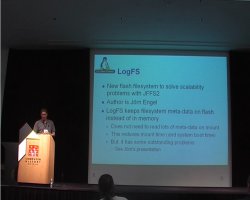 The next topic was
filesystems. First SquashFS, the famous compressed read-only file
system with better compression than CramFS. It is actively maintained
(last release in February 2008), but still not mainlined. The main
developer, Philip Lougher, injured his hand, so he cannot work too
much on the project, so some help would be appreciated to get that
filesystem merged in the kernel tree. Second filesystem, AXFS, covered
by a talk by Jared Hulbert during the conference. It is an advance XIP
file system in that it can profile applications and then use only XIP
on some blocks. It allows fine-grained control over how much flash
vs. RAM is used for an application set. A mainline merge was requested
in summer 2007, the main developer said that he would try again
soon. Third filesystem, LogFS, also covered by a talk from Jörn Engel
during ELC. It's a flash filesystem that solve the scalability
problems of JFFS2. It reduces the memory consumption and the mount
time when compared to JFFS2, but still has some outstanding problems
to be solved. Tim mentionned that CELF is paying for work on this
filesystem. Last filesystem, UBIFS, which is built on top of UBI, a
new flash layer merged into the kernel. UBIFS inclusion into mainline
has recently been requested by Nokia. See this
whitepaper and this LWN
article for more informations about UBIFS.
The next topic was
filesystems. First SquashFS, the famous compressed read-only file
system with better compression than CramFS. It is actively maintained
(last release in February 2008), but still not mainlined. The main
developer, Philip Lougher, injured his hand, so he cannot work too
much on the project, so some help would be appreciated to get that
filesystem merged in the kernel tree. Second filesystem, AXFS, covered
by a talk by Jared Hulbert during the conference. It is an advance XIP
file system in that it can profile applications and then use only XIP
on some blocks. It allows fine-grained control over how much flash
vs. RAM is used for an application set. A mainline merge was requested
in summer 2007, the main developer said that he would try again
soon. Third filesystem, LogFS, also covered by a talk from Jörn Engel
during ELC. It's a flash filesystem that solve the scalability
problems of JFFS2. It reduces the memory consumption and the mount
time when compared to JFFS2, but still has some outstanding problems
to be solved. Tim mentionned that CELF is paying for work on this
filesystem. Last filesystem, UBIFS, which is built on top of UBI, a
new flash layer merged into the kernel. UBIFS inclusion into mainline
has recently been requested by Nokia. See this
whitepaper and this LWN
article for more informations about UBIFS.
Tim Bird is also very interested by tracing solutions. On the LTTng
front, the markers infrastructure has been merged in 2.6.24, and the
next thing to merge is the core of LTTng. The markers are a
infrastructure for static instruction, so they do not compete with
Kprobes which allows dynamic instrumentation. The goal of the kernel
markers is to have a very low overhead when not in use, thanks to the
use of immediate values. Tim Bird also mentionned SystemTap and
the work done by Lineo engineers to adapt it to cross-compiled
environment (see our demonstrations
report), Kernel Function Trace which is now maintained by Nicholas
McGuire, and printk-times architecture support.
Next topic was security, with discussion on Tomoyo Linux and App
Armor, both of which are still out of the mainline version, and Smack
which is now part of 2.6.25. He also mentionned the work on Embedded
SE Linux, and the talks given by Nakamura and Kohei during the
conference. SE Linux requires a filesystem with extended attributes
support, and usually comes with enormous configurations. People were
able to reduce this to only 700 kilobytes, which makes SE Linux usable
in some embedded contexts.
On the power management front, PowerTOP was mentionned, but also PM
QoS, merged in 2.6.24 and the work of Wolfson Electronics on voltage
and current regulator stuff.
In the real-time area, the high resolution timers have been merged
to 2.6.21, but some work is still needed on some architectures. Large
pieces of linux-rt still remain to be merged :
thread interrupts, sleeping spinlocks and latency tracer, amongst
others. As said previously, work to mainline the latency tracer is
currently being done.
Tim said that this list should of course be updated with the
progress of the different projects. The fact that the page is on the
Embedded Linux Wiki will probably help.
 Then, some other topics of
interest to CELF members were briefly presented : bootup time,
system size, licensing, graphics (with an interest in GstOpenMAX),
middleware (discussion about DLNA), mobile phone stack wars (with
Android, LIMO and the nw ARM Ultra-Mobile PC initiative).
Then, some other topics of
interest to CELF members were briefly presented : bootup time,
system size, licensing, graphics (with an interest in GstOpenMAX),
middleware (discussion about DLNA), mobile phone stack wars (with
Android, LIMO and the nw ARM Ultra-Mobile PC initiative).
At the end of the talk, Tim Bird gave a quick presentation of the
CE Linux Forum, which is focused on the advancement of Linux as an
open source platform for consumer electronics devices. He has been
founded in june 2003 and now has about 50 member companies, with
Panasonic, Sony, Hitachi, Toshiba, Sharp, Philips, Samsung, NEC, IBM,
etc. Interestingly, more than half of CELF members are in Asia, around
a third in the US and around ten percent in Europe. There is an almost
equal representation of Consumer Electronics players, Semiconductor
players and Software players at the CELF. The CELF does some technical
work, through workgroups, contract work, conferences, technical output
and special projects. There are many workgroups in CELF, about audio
video and graphics, boot technologies, digital television, memory
management, power management, real time, security, system size,
etc. Tim had some slides about them, but skipped them to make the
presentation shorter.
Tim highlighted the contracted work done by Matt Mackall, Matt
Locke, Bill Traynor, Michael Opdenacker, Nicholas McGuide and Jörn
Engel. They are ready to fund other projects of interest for Linux on
embedded devices. CELF also organizes or is present at several
conferences : Embedded Linux Conference, Ottawa Linux Symposium,
Regional Jamborees, ELC-Europe and Japan trade shows. The next
ELC-Europe conference will take place on November 6th and 7th in Ede,
The Nederlands.
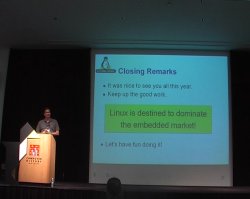 Before closing, Tim again said
that the elinux.org was open to
contribution, and that it should become a central place of information
for the use of Linux on embedded devices. Finally, Tim said that
« Linux is destined to dominate the embedded market, so let's
have fun doing it ! ».
Before closing, Tim again said
that the elinux.org was open to
contribution, and that it should become a central place of information
for the use of Linux on embedded devices. Finally, Tim said that
« Linux is destined to dominate the embedded market, so let's
have fun doing it ! ».
After the talk, a game was organized, at the end of which one
person could win a Nokia Internet tablet. The first stage of the game
consisted in solving Tango puzzles. After that stage, three persons
were selected for the second stage : Jörn Engel, Matt Mackall and
Liam Girdwood. During the second stage, they played the wheel of
fortune, during which they had to guess sentences such as Linus
Torvalds or Tux The Penguin. In the end, Matt Mackall won
that second stage and could go back home with a shiny new Nokia
Internet tablet. Cool !
Other talks
Of course, many other interesting talks took place at Embedded
Linux Conference, on a wide variety of topics. Here is a list of the
other talks, along with links to their corresponding slides if
available on the conference
website :
- Building blocks for embedded power management, by Kevin
Hilman. Kevin also gave this presentation at FOSDEM in February 2008
in Brussels, and Free Electrons recorded the talk, so that a video of it is available (56 minutes, 183 megabytes). LWN also covered this talk.
- How to analyze your Linux's behavior with TOMOYO Linux,
by Kentaro Takeda. Slides are available.
- How GCC works, an embedded engineer's perspective, by
Gene Sally. See the GCC
tips page on the Embedded Linux Wiki, and the LWN report for this
talk.
- Avoiding web application flaws in embedded devices, by
Jake Edge. Slides are
available.
- Compressed swap solution for embedded Linux, by Alexander
Belyakov. This talk was cancelled at the last minute, but the slides and documents are available.
- Development of Embedded SELinux, by Yuichi Nakamura. The
slides are available, and LWN made a report of this talk.
- AXFS: Architecture and results, by Jared Hulbert. Slides
are available. I had the opportunity to read a whitepaper
about various XIP technologies. AXFS is evaluated and looks very
interesting. More informations on the Embedded Linux Wiki or on AXFS official website on
Sourceforge.
- Recent security features and issues in embedded systems,
by KaiGai Kohei. Slides
are available.
- Avoiding OOM on embedded Linux, by YoungJun Jang. Slides
are available.
- Real-time virtualization solutions for Linux, a comparison of
strategies, by Nicholas McGuire.
- Instant startup for application using reduced relocation time
and rearranging functions, by Min-Chan Kim. Slides
are available.
- A symphony of flavours : using the device tree to describe
embedded hardware, by Grant Likely. Slides
are available.
- GPE Phone Edition, an open source software stack for Linux
mobile phones? by Nils Faerber.
- Trouble shooting for blocking problem, by Seo Hee.
- Compiling full desktop distributions for ARM : the
handhelds rebuild project, by Andrew Christian.
- Enhancements to USB gadget framework, by Conrad Roeber. Slides
are available.
- Development of mobile Linux open platform, by Jyunji
Kondo. Slides
are available.
- Learning kernel hacking from clever people, by Hugh
Blemings.
- Maemo mobile Linux platform, current status and future
directions, by Kate Alhola.
- Linux system power management on OMAP3430, by Richard
Woodruff. Slides
are available.
- Status of LogFS, by Jörn Engel. LWN made a short report of this talk.
- Embedded Linux development with Eclipse, by JT Thomas. Slides
are available.
- OpenMoko, by Michael Shiloh
- Filesystem support on multi-level cell (MLC) flash in open
source, by Kyungmin Park. Slides
are available.
- GStreamer on embedded, latest development and features, by
Christian Shaller. Slides
are available.
- Cross-compiling tutorial, by Rob Landley
- GStramer and OpenMAX IL: Plug-and-Play, by Felipe
Contreras.
- APCS, ARM Procedure Call Standard, Tutorial, by Seo
Hee
- Episodes of LKST for embedded Linux systems, by Hiroshisa
Iijima. Slides
are available.
- Using UIO on an embedded platform, by Katsuya Matsubara. Slides
are available.
Conclusion
For your editor, it was his first edition of Embedded Linux
Conference. The contents of the conference is very good, highly
technical and of sufficient variety to allow all the attendees to find
valuable informations matching their interests. The conference
organization was also absolutely perfect : nice venue, free lunch
every day, fun social event, etc. The demonstrations session was also
very interesting, and one could wish that more projects will be
present next year.
Congratulations to the organization team, thanks to Tim Bird and
the CE Linux Forum for setting up such a great conference every
year !
As a suggestion for next years, your editor would suggest setting
up a proper video recording team, with connection to the room audio
system. This would allow to record in high-quality all the talks, so
that attendees could see the talks they couldn't see, and it could
also benefit to people that couldn't come to the conference for
various reasons.
 From April 15th
to 17th 2008 took place the fourth edition of the Embedded Linux
Conference organised every year by the CE Linux Forum in the Silicon
Valley. This year, for the first time, the conference was organized
inside the Computer History
Museum, which happened to be a very nice venue for such a
conference. The museum also has various exhibits about computer
history such as Visible
Storage, an exhibit featuring many samples from the museum
collection, ranging from the first computers to the first Google
cluster, going through Cray supercomputers.
From April 15th
to 17th 2008 took place the fourth edition of the Embedded Linux
Conference organised every year by the CE Linux Forum in the Silicon
Valley. This year, for the first time, the conference was organized
inside the Computer History
Museum, which happened to be a very nice venue for such a
conference. The museum also has various exhibits about computer
history such as Visible
Storage, an exhibit featuring many samples from the museum
collection, ranging from the first computers to the first Google
cluster, going through Cray supercomputers.